Architect's Plans
DiscussFrom the Sovereign Realms Encyclopedia
The Architect's Plans is the item you use to have a building raised. Use it on the ground where the new building's front door should be and the planner opens: a catalogue of blueprints, each with a picture, the ground it covers, its height, what it becomes and the bill of materials it will take. Choose one, turn it to face the way you want, and "Lay out site" has the town's builders raise it from the realm's stores. See Construction for what happens next.
Crafting


It is a shapeless recipe: two paper, a blue dye and a feather.
Using the planner
Use the plans on a block of ground. If the block you click can be replaced (grass, a flower), the ground beneath it is used. The plan's front is set to face you, so it looks back the way you were looking: stand facing north and the planner says "Front faces south" at its top right (or whichever direction). You can turn it a quarter at a time with the two Turn buttons.
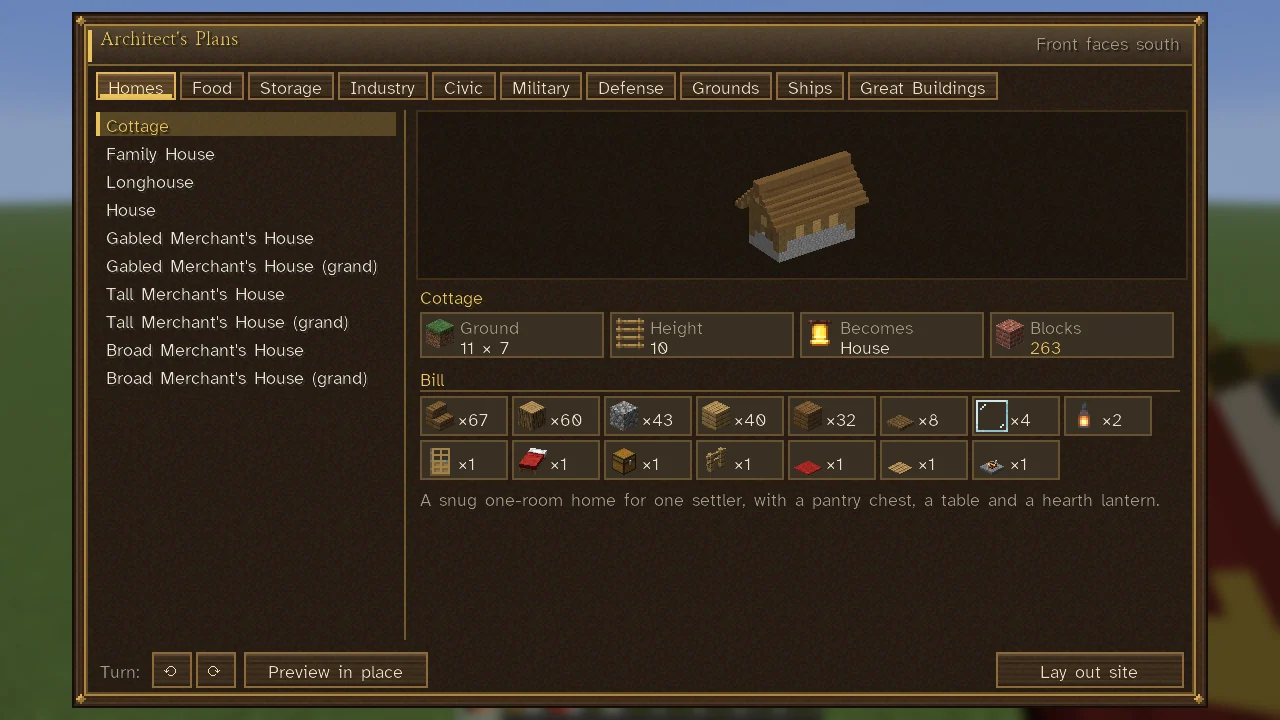
The tabs along the top are:
| Tab | What is on it |
|---|---|
| Homes | Cottages, family houses, longhouses, houses and merchants' houses |
| Food | Granaries, fields and farmsteads, pastures, mills, apiaries, fishing huts, salterns, smokehouses, bakeries, cookshops, alehouses |
| Storage | Storehouses, harbours' landings |
| Industry | Builder's yards, lumber camps, mine heads, quarry offices, sluices, prospectors' lodges, smithies, joineries, masonries and other workshops |
| Civic | Market squares, inns, treasuries, embassies, infirmaries, shrines, and shops such as the enchanter, apothecary and scribe; the adventurers' hall |
| Military | Barracks, armories, jails, stables, watchtowers, border posts |
| Defense | Palisades and their gates, stone walls and gatehouses |
| Grounds | Wells, gardens, crowning stones |
| Ships | Ships ready drawn, for a harbour that can build them |
| Great Buildings | The palace, cathedral, library and the other Great Works |
Select a plan to see what it will be and what it will take. Under its picture and name, tiles give its facts:
| Tile | Shows |
|---|---|
| Ground | The ground it covers, in blocks ("11 × 7"). |
| Height | How many blocks high it stands. |
| Becomes | The building it is recognised as once built (for a plan that becomes one). |
| Blocks | How many blocks its bill comes to, fetched from your stores. |
Below them, under Bill, each material is a cell with its picture and how many; hover a cell for which trade brings it in or which workshop makes it. The plan's description is on its name's hover, and written out whole at the foot for whoever scrolls. Plans that come in families (houses, storehouses, granaries, barracks, workshops, markets) show rows of choices for Size, Style, Finish and Layout above the tiles; see Construction.
Two buttons place the plan:
- Preview in place draws the plan pale and see-through where it would stand, outlines the ground, and the server says whether the ground will take it.
- Lay out site orders it. The planner stays open until the answer comes: it closes if the site is laid out, and shows the reason if not.
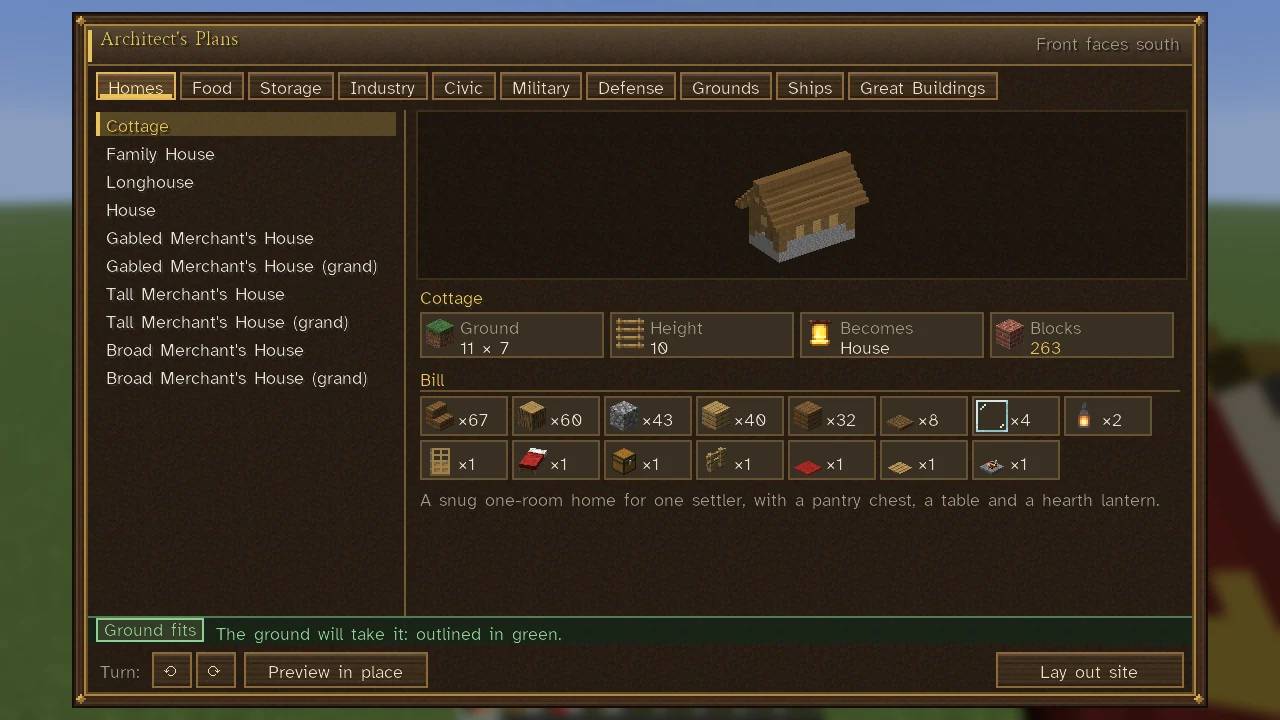
The server's word stands at the planner's foot, its state on a chip and its sentence beside it (hover the line to read it whole):
| Chip | Means |
|---|---|
| Ground fits (green) | The ground will take it; the sentence gives the bill: what its materials are worth, and its builders' days and wages. |
| Won't fit (red) | The ground or the rules refuse it; the sentence says why (and, after a preview, gives the bill too). |
| Laying out… (gold) | The order is with the server. |
For a Great Building the bill lists its blocks and its masons, carvers, glaziers and masters, with the crowns a day and the number of days (Great Works).
Who may use it
Anyone can hold the plans, but ordering a site needs a realm and a rank that may order construction: the Sovereign or a Steward (Citizenship and Ranks). You must stand within 48 blocks of the site, and the site within 192 blocks of one of your Town Hearts. A realm may raise only one of each Great Building at a time and keeps only one of each (a waygate is the exception: one in each town); the planner refuses a second, and refuses a wonder of the world that another realm holds. The city view opens the same planner when you press P, to choose a plan; there it offers "Choose this plan" in place of the Turn, Preview and Lay out controls (The City View).
Walls, roads and work areas
The plans lay out single buildings. A long wall around a town is staked with the Mason's Line; a work area for a farm or quarry is marked with Surveyor's Stakes; and a road is ordered from a Town Heart's sheet (Roads).
See also
- Construction
- Buildings and List of Building Types
- The Sovereign's Companion: its Building chapter summarises the planner.