The Sovereign's Companion
DiscussFrom the Sovereign Realms Encyclopedia
The Sovereign's Companion is the in-game manual of Sovereign Realms, a book item that opens as a sheet (see Sheets). Its first page, the Start tab, leads with your next step, or the task you hold; its other tabs are your map, the people you know and your own settings. Chapters on each part of the game stand as cards on the first page, a search finds where the book explains a word, and you can ask it questions in chat.
Getting one
Every player is given a Companion the first time they join a world. A new life (after a death or a respawn) is given one if there is none in the pack, and it is not dropped where you fall. You can also craft one:


Opening it
- Right-click with the book in your hand; it opens at the Start tab. Crouching with it does not open it (you are told to stand to read it), so a thief reaching for someone's belt does not open the book instead (see Stealth and Thievery).
/companionopens it from anywhere without the item;/companion <chapter>opens a chapter by its short name (founding,buildings,people,talk,hearts,work,money,building,army,steward,errands,sea,law,realms,factionsortable). An unknown name opens the Start tab./companion search <words>opens the book's search for those words.- Clicking the welcome's first line in chat opens it; clicking the line that tells of your steward opens the Steward chapter.
The tabs
The tabs stand in one row: Start, Map (your own map; see Maps, the Corner Map and the Compass), Known, You, and Letters once a runner has brought you a letter, with how many are unread. A chapter, the Markers page or a search, while open, is one more tab at the end of the row.
The Start tab
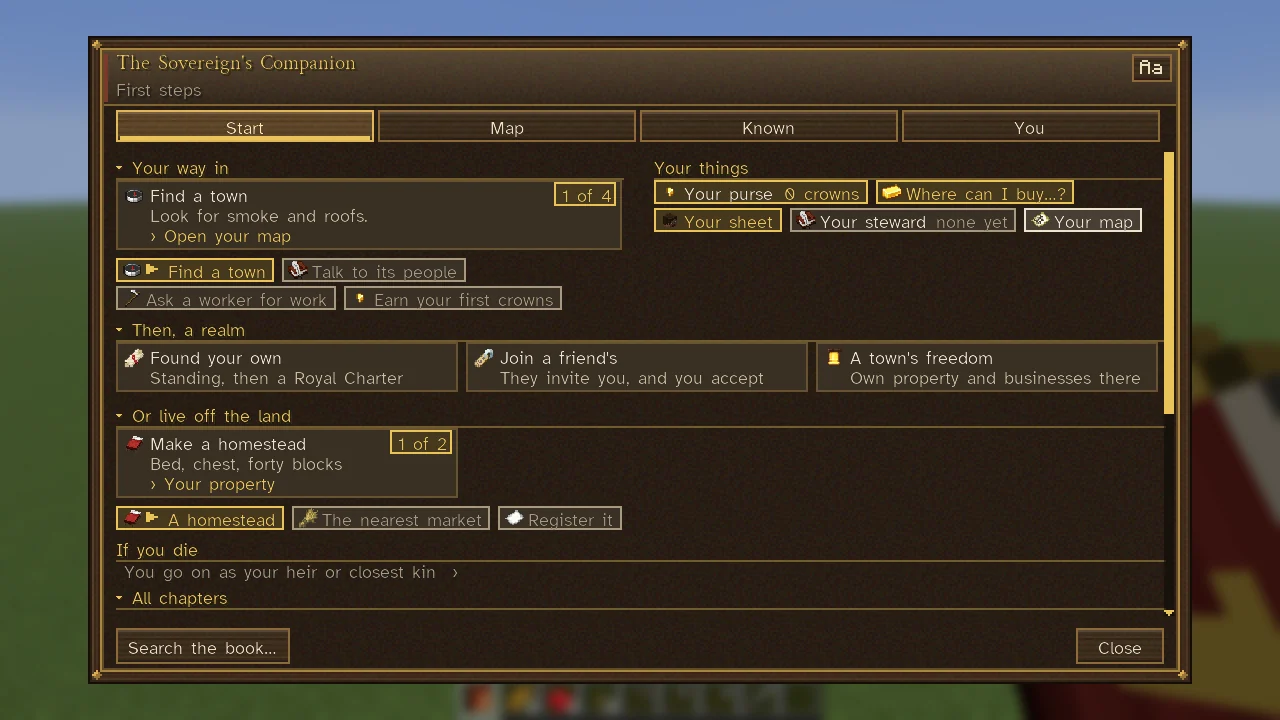
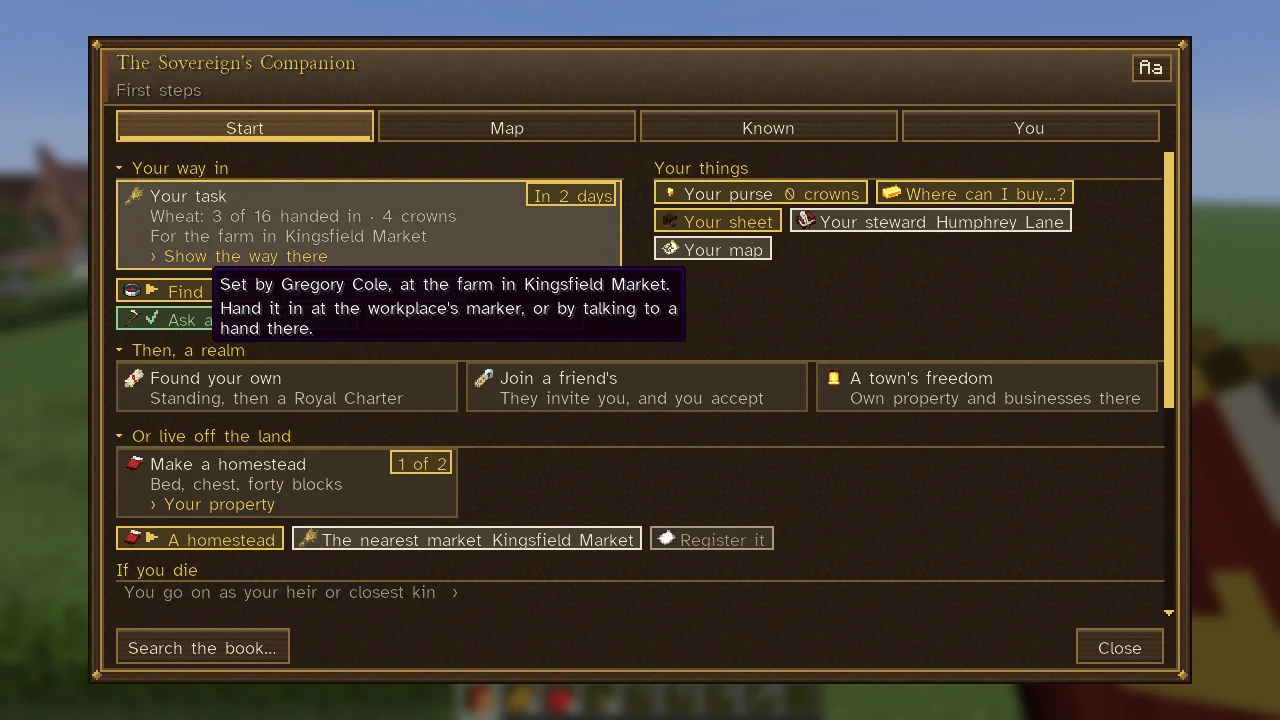
For someone who does not rule a realm, the page opens on Your way in. While you hold a task from a workplace, it leads (see below); otherwise the step to take now is a card with a line of how ("Right-click a person to talk."), its place on a gold chip ("2 of 4") and, in gold, what a click opens: Open your map, How to talk, How to find work or How to earn. Its hover tells the whole step; for finding a town, which way the nearest lies and how far. The four steps stand under it as chips, those done in green with a tick and the next in gold. When all four are done, the card is Then, a realm.
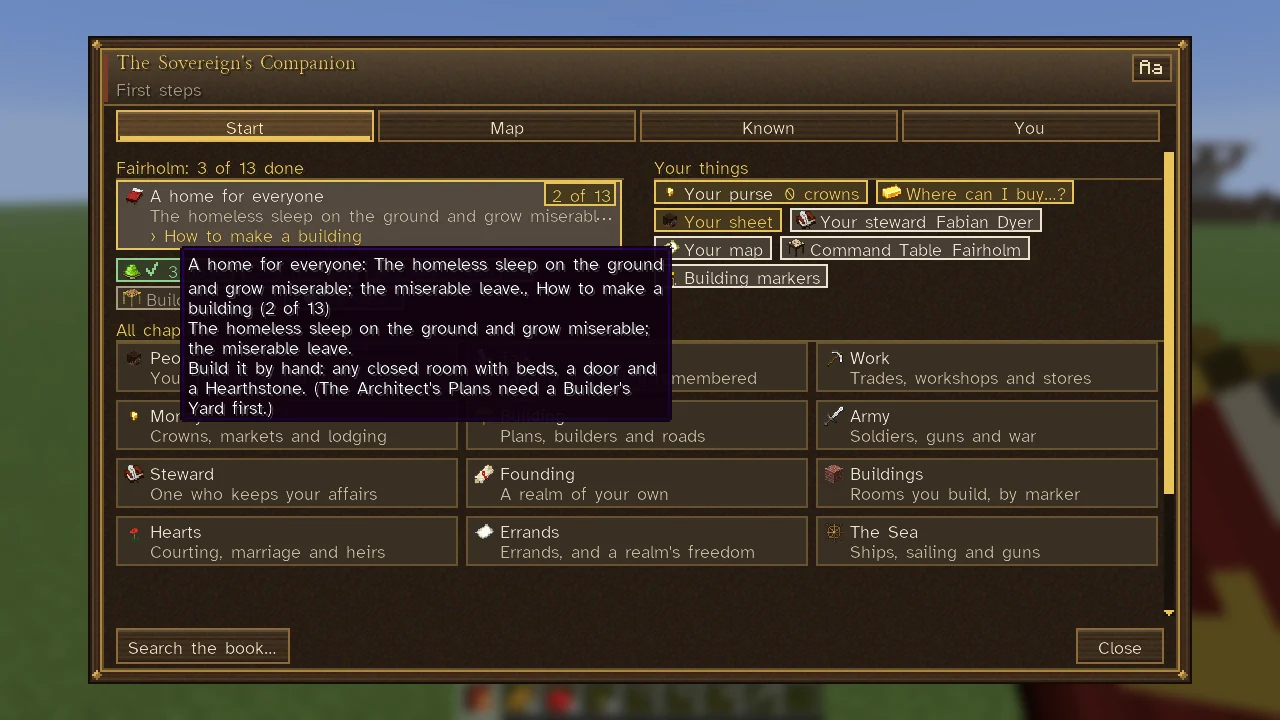
Your things stand beside it as chips: Your purse (the coin you carry; there is no account), Where can I buy…? (/find), Your sheet (J; see Sheets), Your steward (U; see Your Steward), Your map, Letters if you have any, and Taxes owed or Fines owed when you owe. A citizen also has How it is governed, their realm's laws and the petitions they may bring. A ruler has the realm's Command Table and Building markers, a page of every building's marker block, what it is made of and what the building must have.
Then, a realm follows as three cards, each opening the chapter that tells how: Found your own ("Standing, then a Royal Charter": a following, property, or a homestead you live at, then a Royal Charter), Join a friend's, and, for someone who is no realm's citizen, A town's freedom.
Or live off the land is the other way in: a home of your own in the wild or a realm's country, hunting and growing what you need. Its next step, while there is one, is a card that opens the Property page of your sheet (Your property):
- Make a homestead ("1 of 2"): a bed, a chest and forty blocks of your building, with how many of the forty you have laid once you begin.
- Register it as your title ("2 of 2"), once you have a homestead in a realm's land, saying whether that realm has recognised you or called you a squatter.
- Take up its protection ("2 of 2"), for a homestead in the wild, where no realm gives title and the strongest realm about offers to protect it, with its tithe a week on the card.
Three chips stand under the card, each telling the whole on its hover: A homestead, ticked in green once you have one; The nearest market, the nearest town whose market deals with you, how far and which way, and why a nearer one will not; and Register it. See Homesteads.
On servers where you go on as your heir, If you die says so. All chapters ends the page.
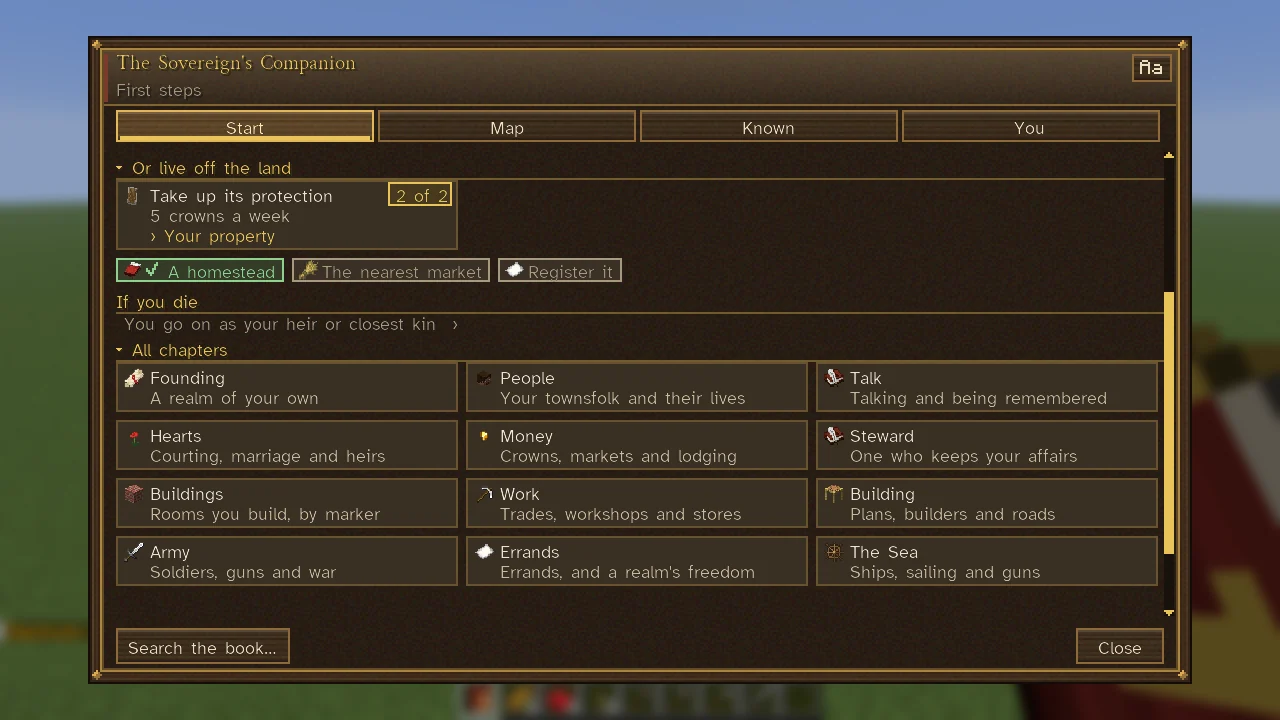
A ruler's Start tab leads instead with the realm's first needs, worked out from the world as it is, under a heading such as "Fairholm: 3 of 13 done". The next need is the card, with its place ("2 of 13"), why it matters and the chapter that tells how; the needs met are one green chip (named on its hover), the next three are chips, and the rest are counted on one more. When all are met, the card says your realm stands on its own feet and opens the Command Table.
Your task
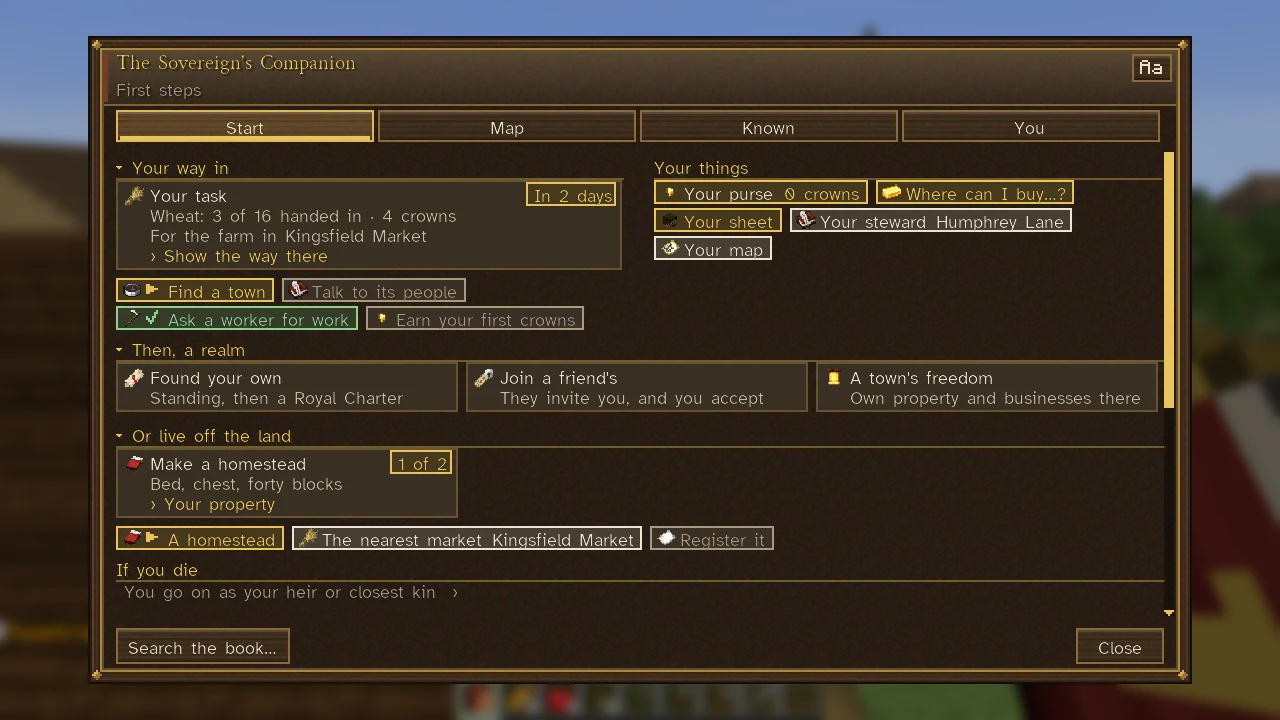
While someone who does not rule a realm holds a task a workplace has set them (see Work and Professions), the card at the head of Your way in is Your task, in place of the next step: the thing asked for and how many of it you have handed in, with the pay ("Wheat: 3 of 16 handed in · 4 crowns"), whose work it is ("For the farm in …"), and on its chip when it is due: In 2 days, Tomorrow, Today, or Overdue, the card then in amber. Its hover says who set the task and that you hand it in at the workplace's marker or by talking to a hand there. Its one action, Show the way there, follows the workplace as a place chosen on the map is followed, its way shown at the top of your screen. The four steps stand under it as chips. Once the task is all handed in, the card gives way to the next step again. The same task stands at the top left of the screen while you play (see Controls and Key Bindings).
Known
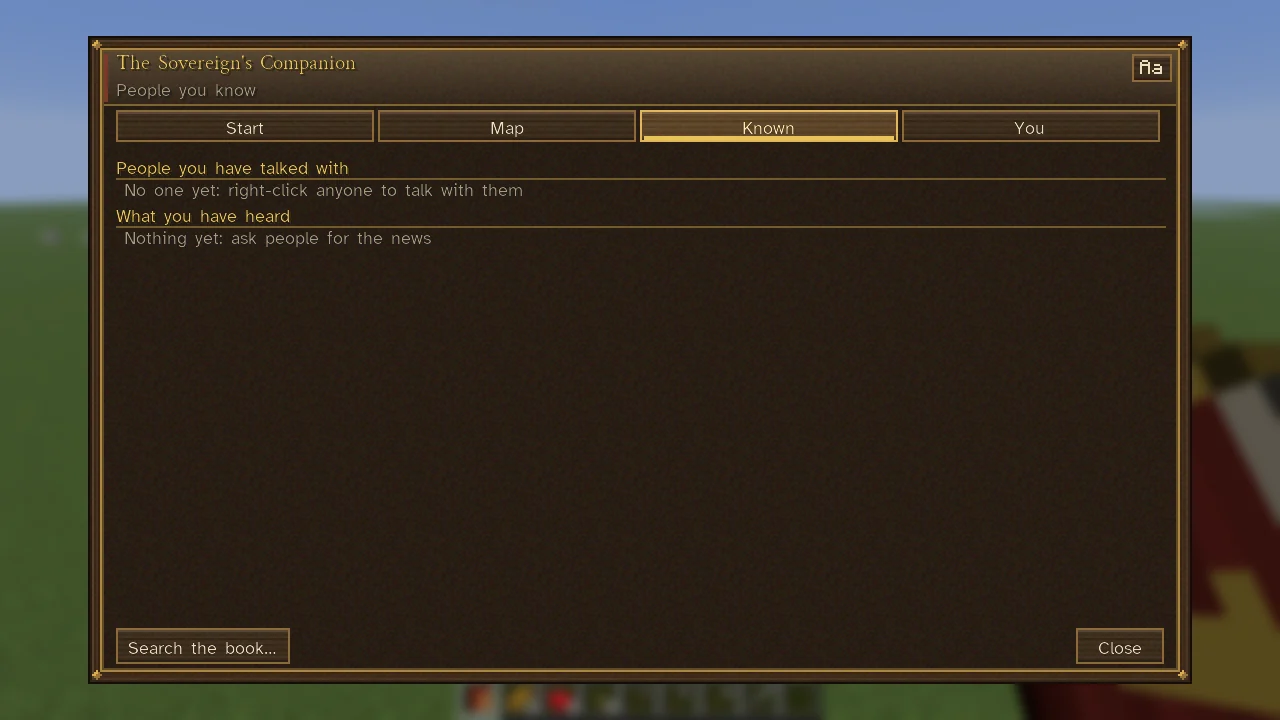
The Known tab keeps what you have learned from talking: Owed between you (favours and promises, in gold, at the top); People you have talked with, each with their work and town and how they regard you, from hostile to fond (hover for how often you have talked, what you know of them and any lies they have caught); and What you have heard, each piece of news with when and from whom, rumours marked as such. A name the town you stand in has for you ("the Bold") shows here too. See Talking with People and Renown and Following.
You
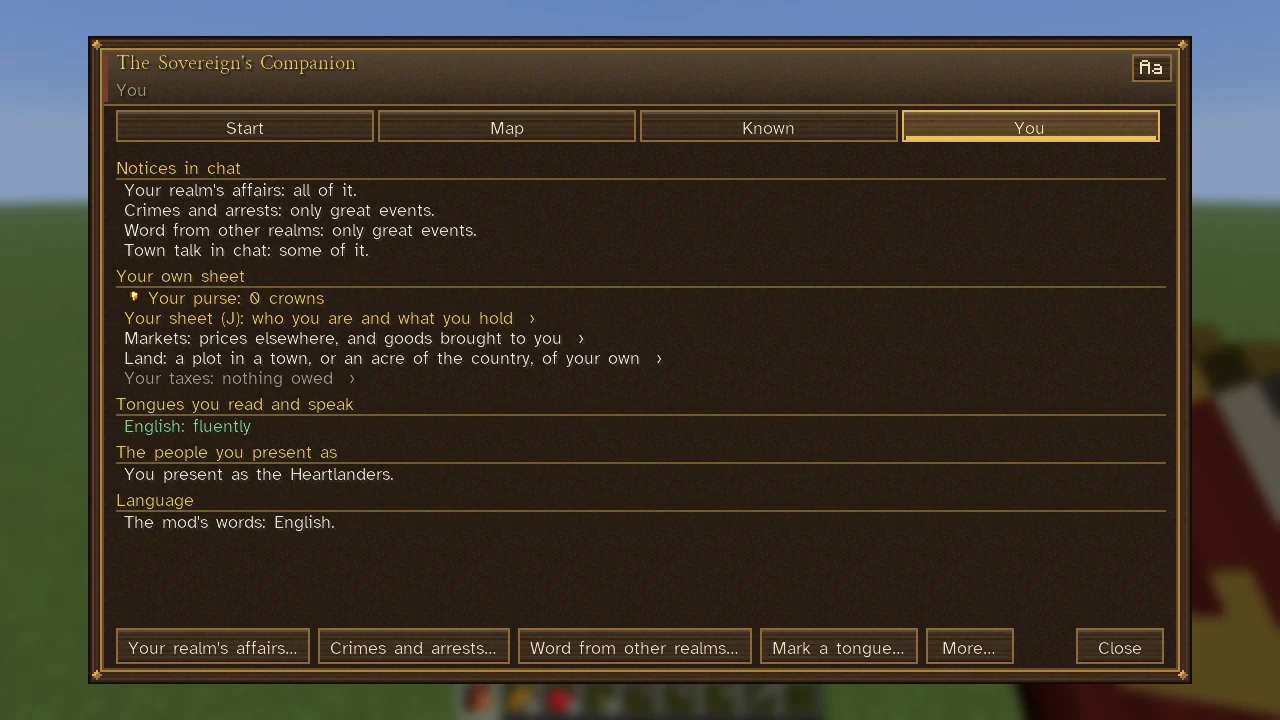
The You tab is where you choose what comes to you in chat and which tongues you read.
- Notices in chat: your realm's affairs, crimes and arrests, and word from other realms, each Only great events, Near you, and great events or All of it. What is about you, and great events, always come.
- Town talk in chat: all of it, some of it or only what is for me. Callers who come to you, letters and your own conversations always come.
- Your own sheet: your purse, your sheet (
J), your lodging, markets, land and taxes (see Lodging, Markets and Trade, Land, Estates and Landlords). - Tongues you read and speak, Mark a tongue... (see Tongues) and Present as...: those of the people you present as warm to you as one of their own. A realm's sovereign may choose its tongue during its first days.
- Language: the mod's own words in English, in Spanish, or the game's own language.
The chapters
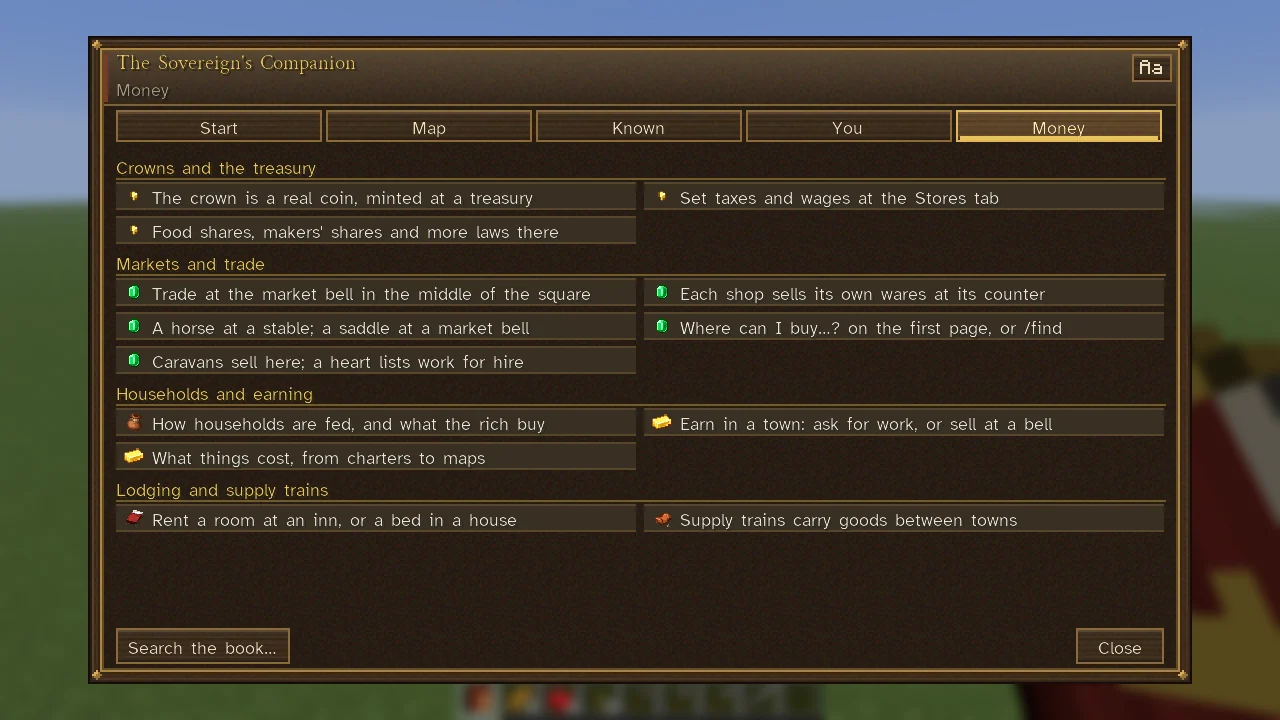
Sixteen chapters hold the manual, each a card under All chapters with its parts on its hover; a click opens it. Those that bear most on you come first: for a newcomer, or a citizen who does not rule, Founding, People, Talk, Hearts, Money and Steward; for someone who runs a realm, People, Talk, Work, Money, Building, Army and Steward.
| Chapter | Its card says | See |
|---|---|---|
| Founding | A realm of your own | Founding a Realm, Influence, Citizenship and Ranks |
| Buildings | Rooms you build, by marker | Buildings |
| People | Your townsfolk and their lives | Townspeople |
| Talk | Talking and being remembered | Talking with People |
| Hearts | Courting, marriage and heirs | Courtship and Marriage, Dynasties and Succession |
| Work | Trades, workshops and stores | Work and Professions |
| Money | Crowns, markets and lodging | Crowns and Nobles, Markets and Trade |
| Building | Plans, builders and roads | Construction, The City View |
| Army | Soldiers, guns and war | Armies and Soldiers |
| Steward | One who keeps your affairs | Your Steward |
| Errands | Errands, and a realm's freedom | As for Steward and Founding |
| The Sea | Ships, sailing and guns | Ships and Sailing |
| Law | Crime, the watch and the jail | Crime and Punishment |
| Realms | Neighbours, envoys and war | Realms, Diplomacy and Envoys |
| Factions | Factions and their demands | Factions and Demands |
| The Table | Your whole realm at a glance | The Command Table |
A chapter's page has a section for each of its parts, each step a line with its picture; hover a line for the paragraph it stands for. Where the page is wide, a part's few short steps stand two to a row. On a page longer than the screen, later parts open folded: click a heading marked with a small arrow to open it.
Searching the book
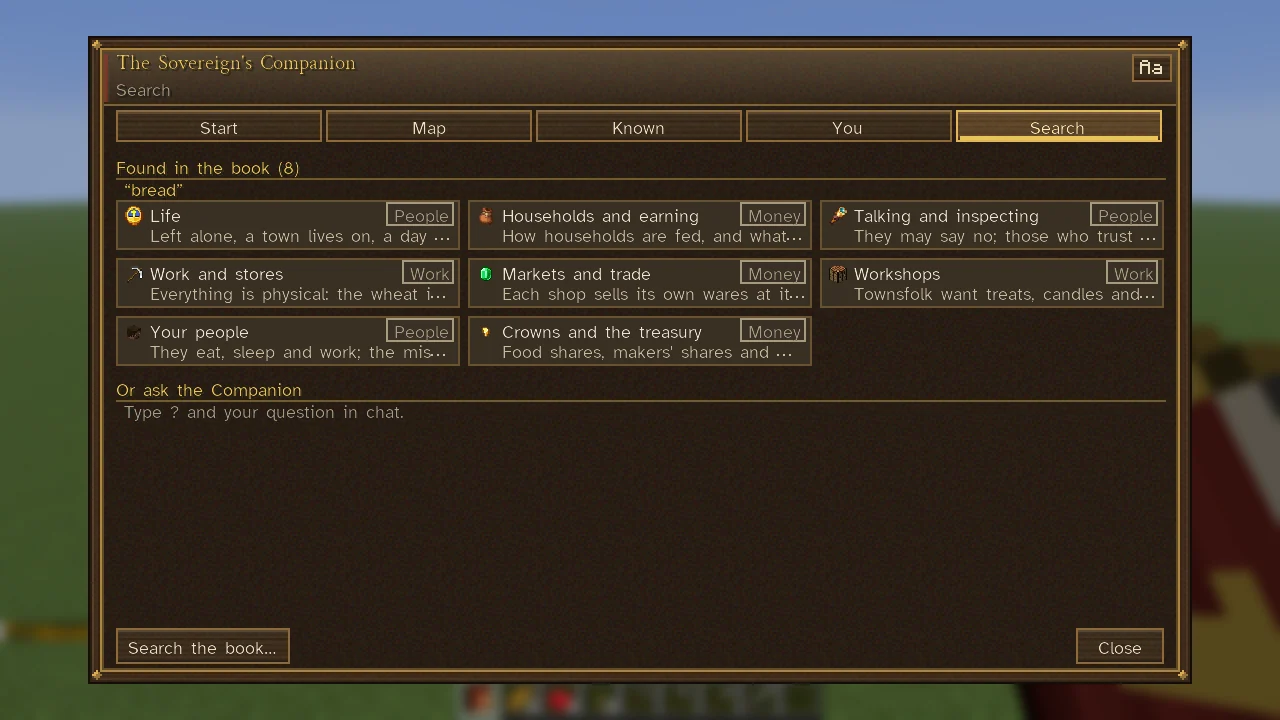
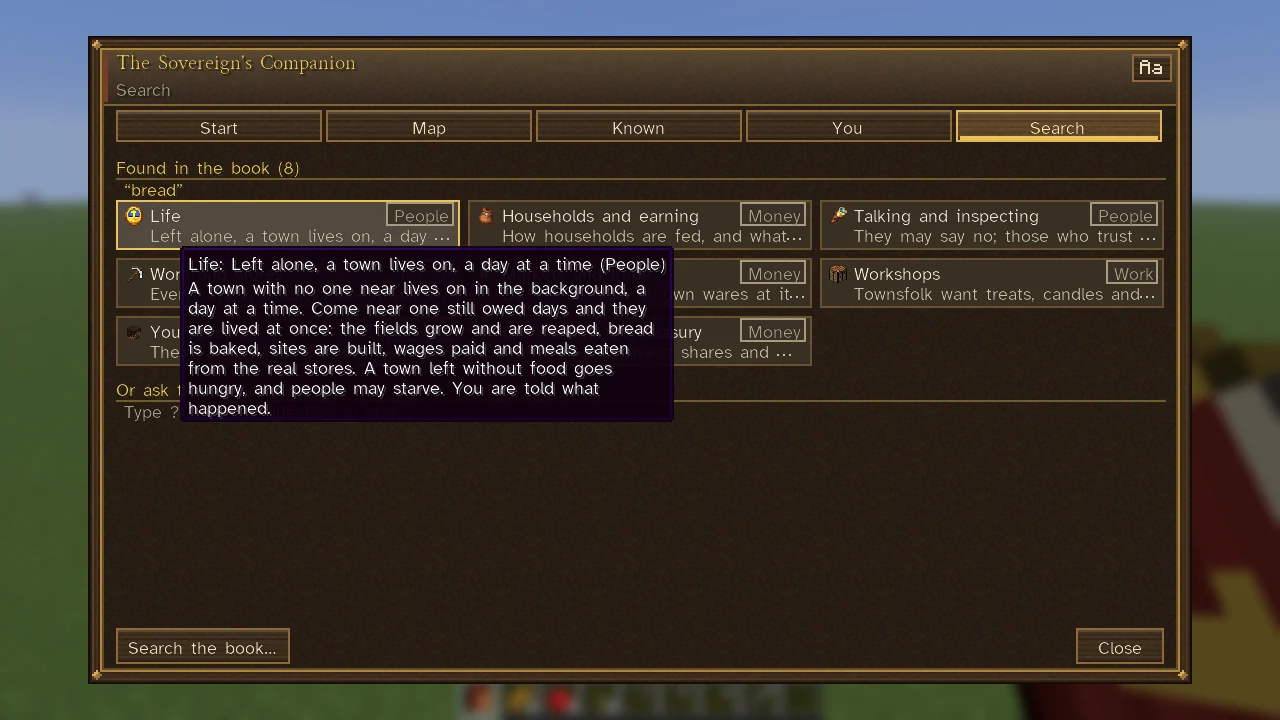
Search the book… stands on the bar of the Start tab, the chapters, the Markers page and the Known tab. Type a word or two and the answers follow under Found in the book: at most eight cards, best first, each the picture and heading of a part of the book, the step's own line and its chapter on a chip. Hover one for all it tells; click it to open the chapter. Each part is shown once, and steps that use your word as you typed it come first. If nothing is found, words to try stand as chips: bread, work, charter, horse, marriage, jail and ships. /companion search <words> opens the same search from chat, as does the link the Companion gives when it has nothing written on a question (below).
Words of war or of swords for hire ("mercenary", "war", "fighting", "guild") put a Swords for hire section above the answers, with Wars under way: where swords are wanted, which opens the list of the world's wars, and The Adventurers' Guild.
The search knows word endings and synonyms, as the Companion's answers in chat do. For someone reading the mod in Spanish it reads the Spanish book too, so "pan" finds bread.
Asking the Companion
Type ? and your question in chat, for example ? how do I become a citizen, or /ask and the question; /ask alone reminds you how. A line that begins with ?? is not taken as a question, and a question needs at least three letters.
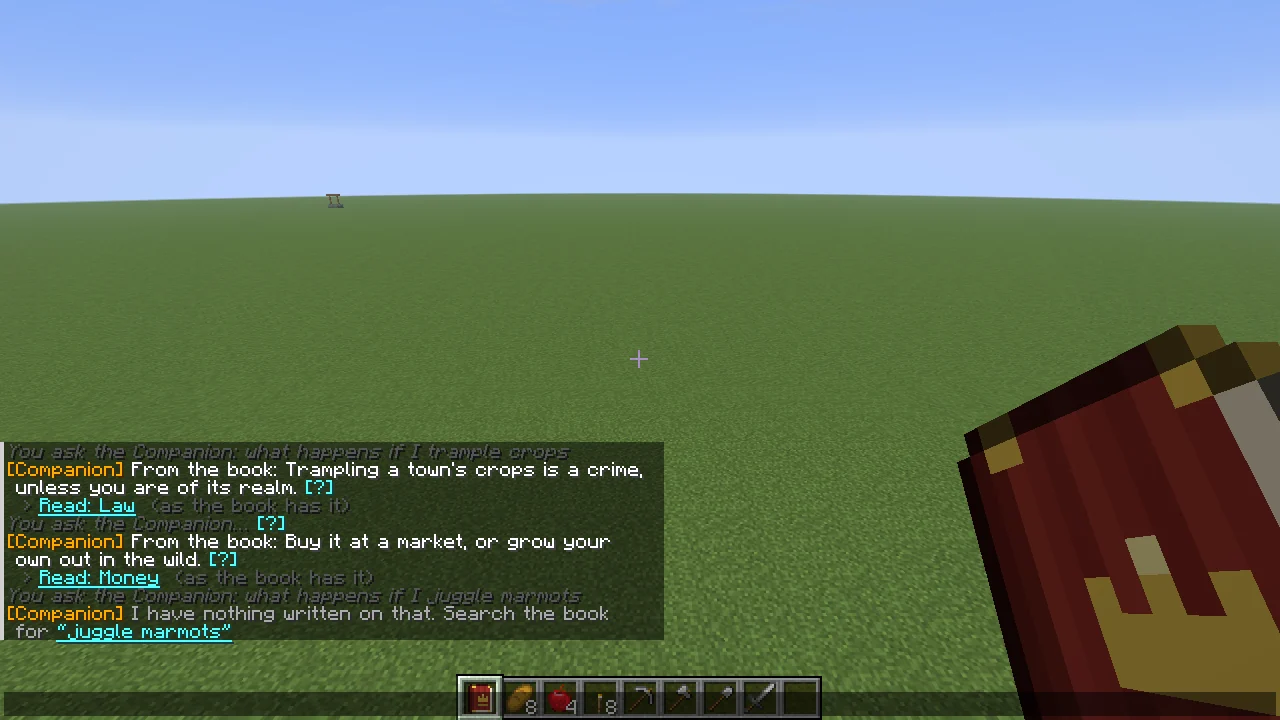
Your question is repeated in grey ("You ask the Companion: …"), and the answer follows under the name [Companion].
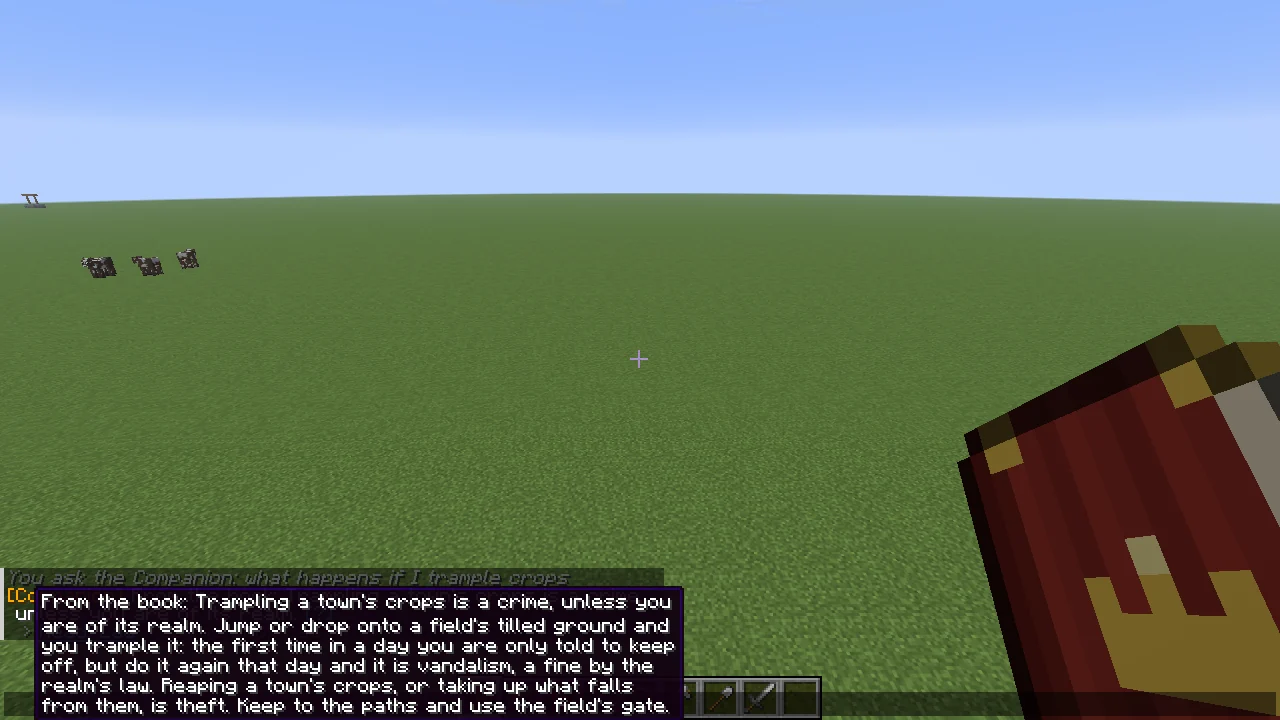
- A row or two. The answer stands in a row or two of chat, as many of its first sentences as fit (a first sentence longer than that is cut short with "…"); where it has more, the row ends in an aqua [?]: hover it for the whole answer, click it to open the chapter it came from. A line under it, Read: and the chapter's name, opens that chapter too. An answer from the book itself begins "From the book:".
- What was asked. It weighs the words of what you ask about over the words a question is put in ("what happens", "where do I find"), and a part of the book answers only if it speaks of what was asked. Among its written answers are what happens if you trample a town's crops (a crime unless you are of its realm: you are told to keep off the first time in a day, and again that day is vandalism; reaping them is theft) and where to get wheat (a market, or grow your own).
- Nothing written. A question the book has nothing on gets one line, "I have nothing written on that.", with Search the book for and your question's own words: a click opens the Companion's search for them (the same as
/companion search <words>); where no word of it is in the book at all, it says to try other words or read the chapters. Where some part of the book shares a word of the question, the nearest chapter is offered under it. - What you can see for yourself. It knows how the game works and what is in plain sight: where to find a town, your own lodging and property, which way a town named in the question lies and how far ("where is Wheatley"). Asked where to find work while you have none, it names a workplace whose hands would set you a task, the one you stand at first if it would take you on, and shows its way. It does not know the world's secrets (where the iron lies, who is plotting what).
- Where the fighting is. Asked where there is fighting or whether any wars are on, it names the nearest war under way (who against whom, where, how far and which way, and its day) and how many more there are; the hover lists them all. A sword's own question ("how do I become a mercenary", "where can I fight for pay", "sell my sword") is first told that swords for hire sign on with a realm at war, at its Town Heart, barracks or guild. Under the answer, Wars under way opens the list, with the coach toward each war, what each side pays and where to sign on (see Mercenaries and War and Peace). How war is declared or ended, and the levy, are answered from the book.
- Asked who speaks English here, it names the best speaker of the town you stand in and the way to them, or else the nearest who does in a town near; see Tongues.
- One at a time. Asked again within two seconds, or while it is still answering, it asks you to wait a moment. A follow-up ("and what does it cost?", "what about horses?", or one that speaks of "it" or "that") or a question that asks nothing of its own ("how much?") is read with the question before it; any other question is read by itself.
- With Counsel and Language Models on, a language model writes the answers from the same book and can follow a question in another language; with counsel off, or its allowance spent, the book answers by itself.
See also
Getting Started, Commands, Controls and Key Bindings, Your Steward.