Controls and Key Bindings
DiscussFrom the Sovereign Realms Encyclopedia
Controls in Sovereign Realms are ordinary Minecraft key bindings, so each can be changed under Options, Controls. The mod adds three groups of them. This page lists each with its default key, then where the mod's notices stand on the screen and how to read them in full, then the keys that work inside the mod's own screens, then the mod's own options.
Key bindings
Sovereign Realms
These keys work while you are in the world with no screen open.
| Default | Name in Controls | What it does |
|---|---|---|
J | Your sheet | Opens your sheet at the Who page. See Sheets. |
M | Your map | Opens your map where you stand. Pressed again over the map, it closes. See Maps, the Corner Map and the Compass. |
U | Your steward's page | Opens your steward's page. See Your Steward. |
V | The city view | Standing in one of your realm's towns, shows it from above. See The City View. |
Left Alt (held) | Read the screen's edges in full (hold) | While held, says in full what the notices at the edges of the screen say short (below). |
N | Show or hide the corner map | Toggles the corner map. A line of text tells you which. |
[ | Corner map: zoom in | One scale closer. The line tells you the scale and how many blocks across it is. |
] | Corner map: zoom out | One scale wider. |
\ | Corner map: size (small, medium, large) | Cycles the size of the corner map. |
K | Compass strip: size (slim, framed, hidden) | Cycles the compass strip. |
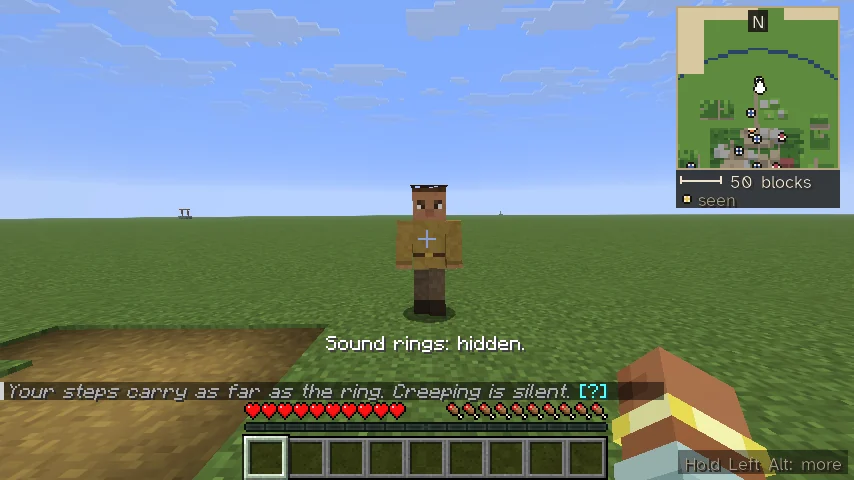
| None | Sound rings: show or hide | Hides or shows the rings your noises spread over the ground and the marks over who heard them. A line over the hotbar says "Sound rings: hidden." or "Sound rings: shown while you sneak." It turns the same setting as the Stealth page of the mod's options. See Stealth and Thievery. |
Sovereign Realms: when down
These work only while you are knocked down. See Down, Not Dead.
| Default | Name in Controls | What it does |
|---|---|---|
H | Call for help | The same as /downed help. |
Y | Yield | The same as /downed yield. |
Z | Slip your bonds | The same as /downed slip. |
G | Give up the ghost | Asks first ("Give up the ghost?"), then ends this life; you continue as your heir where the server's rule is a dynasty. |
The keys send at most one command a second, however fast they are pressed.
Sovereign Realms: battlefield orders
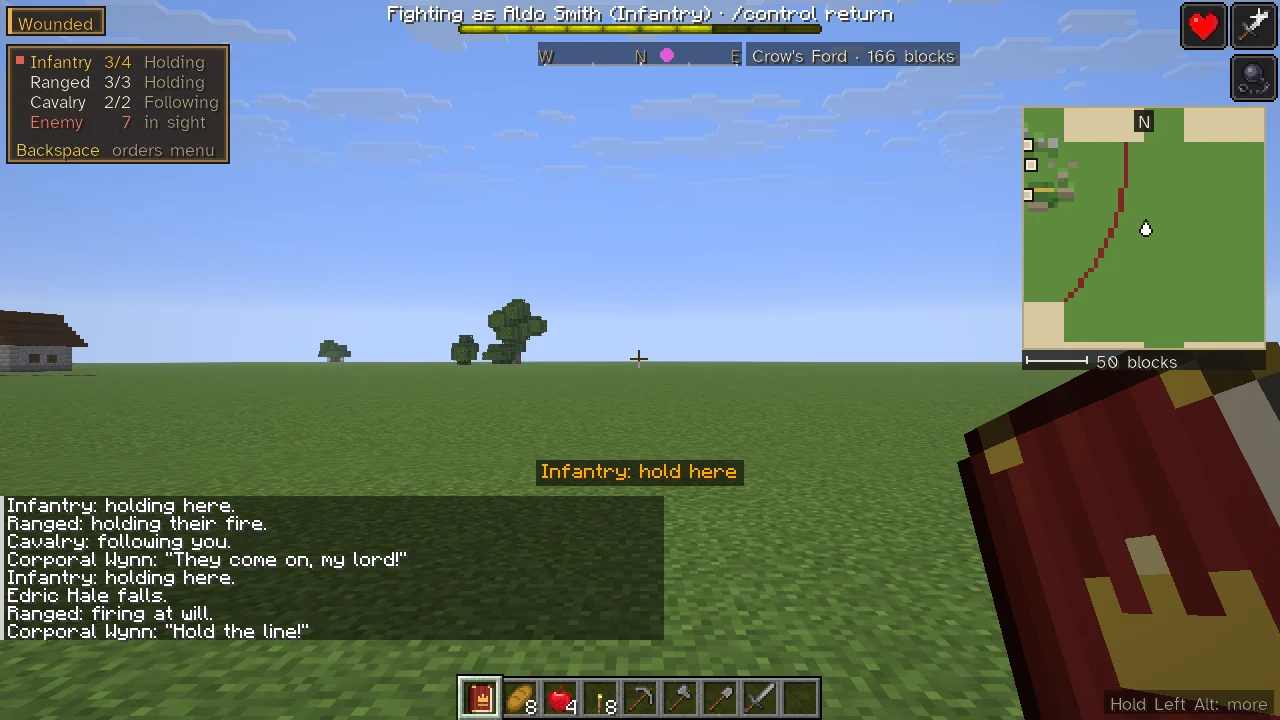
These give orders to the soldiers you command in the field: your own company as captain, those following you, or the company your Command Horn has taken, within earshot (see Command Horn and Armies and Soldiers). You select a group, and every order then goes to that group alone.
| Default | Name in Controls | What it does |
|---|---|---|
Numpad 1 | Select everyone | Selects all your soldiers. |
Numpad 2 | Select the infantry | Selects the foot. |
Numpad 3 | Select the ranged | Selects bows and shot. |
Numpad 4 | Select the cavalry | Selects the horse. |
B | Next group | Moves the selection to the next group, and round again to everyone. |
F6 | Order: follow me | The selection follows you. |
F7 | Order: hold here | The selection holds where you stand. |
F8 | Order: charge | Sends the selection at the foe. |
F9 | Order: hold fire / fire at will | Turns the selection's fire. |
F10 | Order: form a line / spread out | Turns the selection's array. |
| None | Order: hold where I look | The selection holds on the ground you look at, up to 64 blocks off. |
| None | Order: advance ten paces | The selection's line moves ten blocks the way you face. |
| None | Order: fall back ten paces | The selection's line moves ten blocks back. |
Backspace | The order menu (its number keys select a group and open Movement, Formation and Fire; again: back) | Opens the order menu; see below. |
The last three have no key until you give them one; they are also on the order menu. Orders go out at most four a second, however long a key is held. Each is told on the action bar with the group it went to, such as "Infantry: follow me!".
The order menu
Backspace opens a two-level menu at the left edge of the screen, as in Mount & Blade: Warband. While it is open the number keys on the main row are the menu's, not the hotbar's, and the chat steps back.
| Key | On the first page, Orders |
|---|---|
1 to 4 | Select everyone, the infantry, the ranged or the cavalry. |
5 | Open Movement: follow me, hold here, hold where I look, advance, fall back, charge. |
6 | Open Formation: line, shield wall, wedge, loose. |
7 | Open Fire: fire at will, hold fire, give fire. |
On an opened page its orders are numbered from 1. Selecting a group keeps the menu open; giving an order closes it, so the fight can be seen. On a page, Backspace goes back to the first page; on the first page it closes the menu. It also closes by itself after about ten quiet seconds, and when any other screen opens. It works only over soldiers who answer to you; otherwise the game tells you no soldiers answer.
The screen's edges
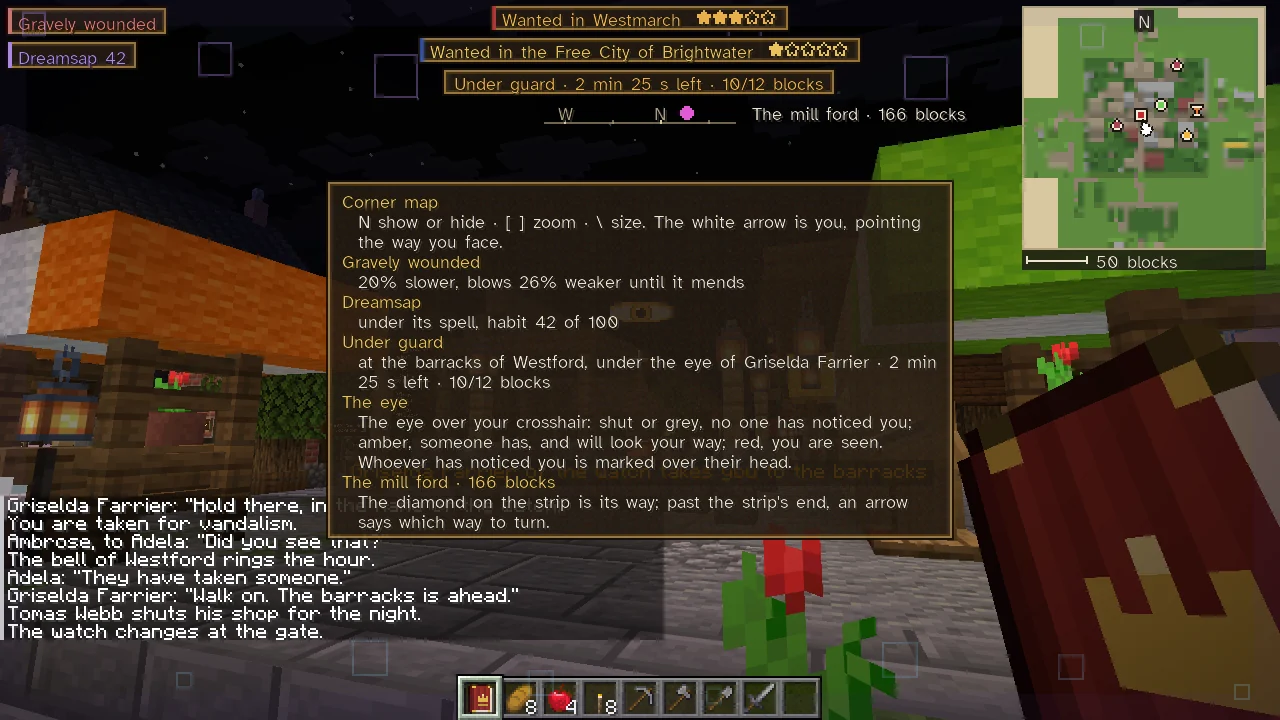
Each kind of notice the mod puts on the screen while you play has a fixed place, clear of the game's own (the hotbar and its bars, the chat, the effects' icons, the boss bars, a title) and of every other notice. A notice that cannot be put clear of the rest is not drawn, rather than drawn over something.
| Place | What stands there |
|---|---|
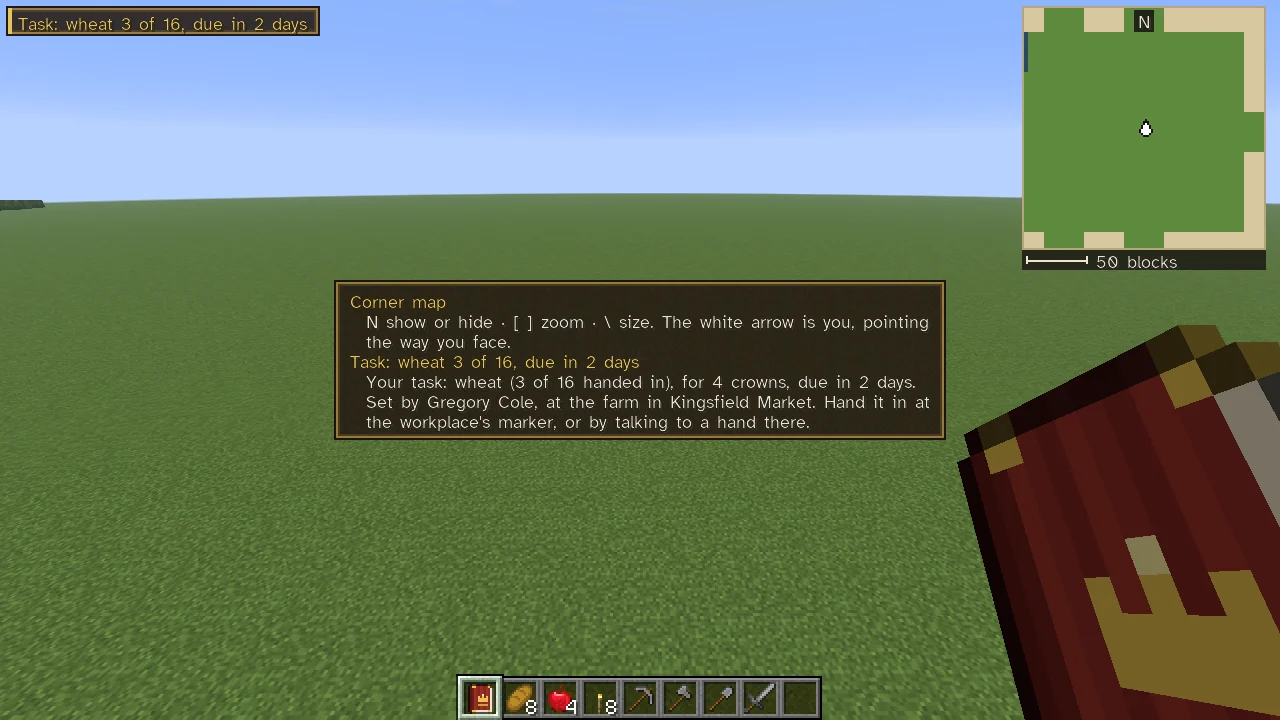
| Top left | Your own state, one plaque under another: a wound, a habit, the ship you sail, the task you hold (see Work and Professions). |
| Top centre, under any boss bar | The law and the way: a line for each realm that wants you, the line of your custody, the compass strip, and the town you ride to. See Wanted and Bounties and Maps, the Corner Map and the Compass. |
| Top right, under the effects' icons | The land: the corner map (in the corner set for it), or a Realm Lens's reading while you hold one. |
| Left edge, above the chat | Commanding soldiers: the battle panel and the order menu. |
| Over the crosshair | The stealth eye, and who has made you out. See Stealth and Thievery. |
| Over the hotbar | News: a passing notice, and the compass strip if you have set it there. |
| The middle | Only what stops play: being down, and the big words the mod sends for an arrest, the watch's stop, custody, a waylay on the road and the arena's bouts. |
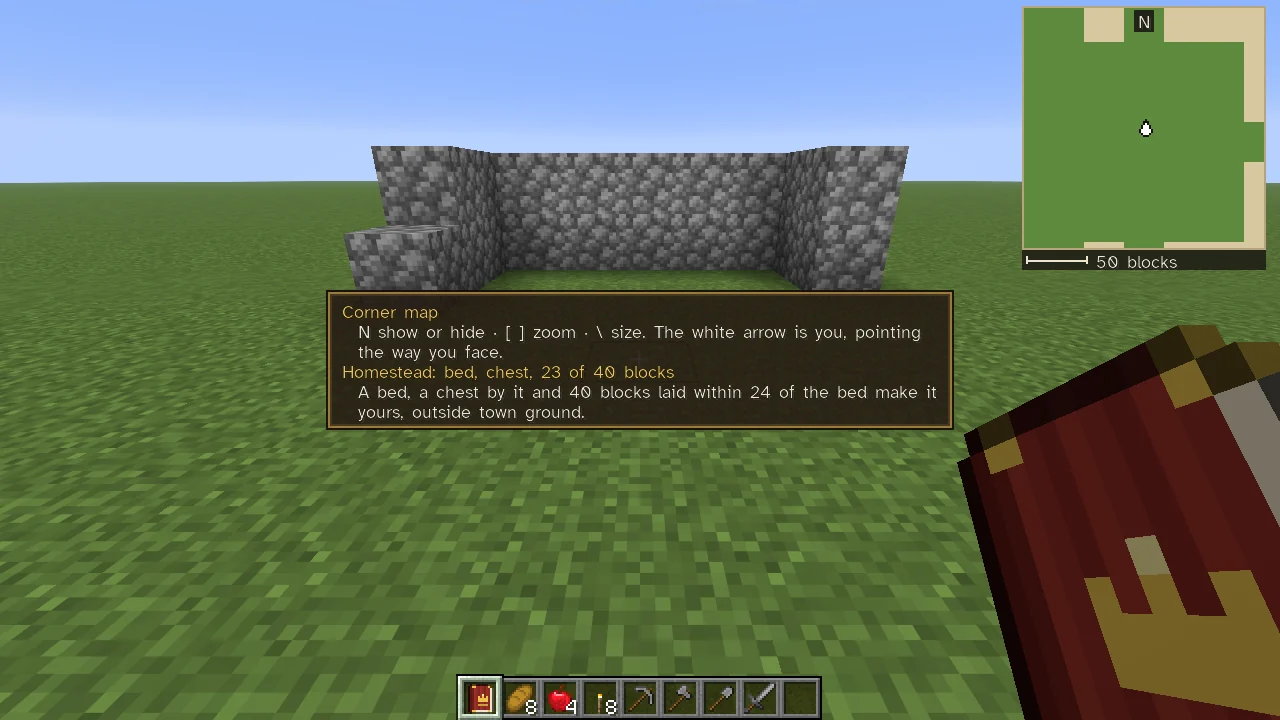
| Foot of the right edge | The hint Hold Left Alt: more, or Hold Left Alt: homestead while you build a homestead. |
Every label is kept short. A wound reads "Gravely wounded", a habit "Dreamsap 42", a task "Task: wheat 3 of 16, due in 2 days" (amber once overdue), the custody line "Under guard · 2 min 25 s left · 10/12 blocks". Hold Left Alt (Read the screen's edges in full (hold) in Controls) and every piece on the edges is said in full in one list across the middle: its title in gold and its words under it. The wound says what it does ("20% slower, blows 26% weaker until it mends"), the habit how deep it is ("under its spell, habit 42 of 100"), the custody line where you are held and under whose eye, the corner map its keys, the eye what its colours mean, the battle panel each group and the keys for follow me, hold here, charge, fire and the array, the task you hold its pay, who set it and where to hand it in, and at a ship's helm how to sail her. Until you have held the key once since starting the game, a small Hold Left Alt: more (the key as you have bound it) stands at the foot of the right edge whenever something on the edges has more to say.
While you build where a homestead could stand, the hint reads Hold Left Alt: homestead, however often you have held the key, and stays about twenty seconds after the last block you lay. Held, the list has the homestead's line, what it still wants ("Homestead: bed, chest, 23 of 40 blocks"), and under it what makes one: a bed, a chest by it and 40 blocks laid within 24 of the bed, outside town ground. A line over the hotbar tells you only when that changes.
The chat's recent lines step back while the order menu is open, while you are down and while big words are across the middle, and come back when that ends; opening the chat shows them all. A notice moved up over a full chat never lies on the crosshair.
Keys inside screens
Sheets and the Companion
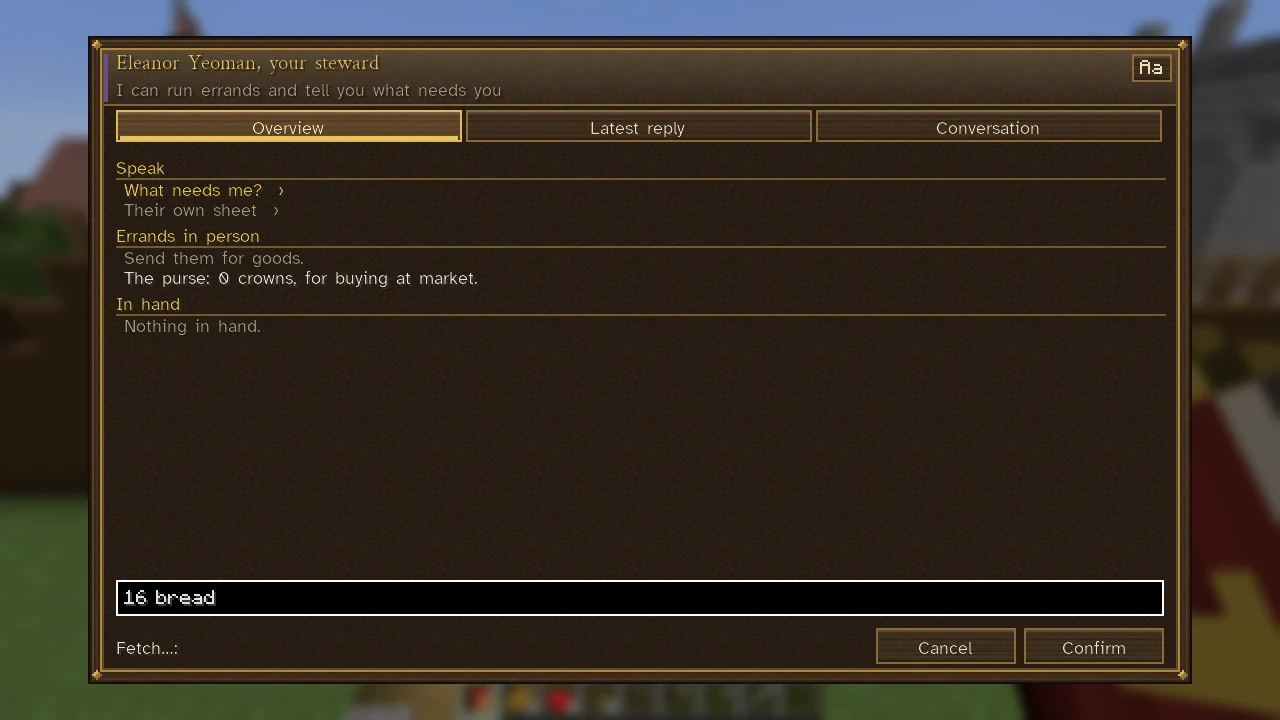
Every sheet is a screen of its own (see Sheets). Esc backs out of a list, a picker or a typed-in box first, and closes the sheet on the next press. The Close button and, on sheets reached through links, Back, do the same. The Aa button at the top right changes the sheet's letters.
Words typed into a sheet's box are not lost when the sheet is laid out again: when a notice on the sheet ends, when the server sends the sheet again, or when the window is resized, the box keeps its words, where the cursor stands, what is selected, and the keyboard's focus, so typing goes on where it left off. A pick-list's filter keeps its words the same way.
Talking
In a conversation, choose what to say with the mouse or with the keys 1 to 9; Esc takes your leave. See Talking with People.
The map
With your map open, drag to move it, use the wheel to zoom, click to look closer, and right-click to mark a place (or take a mark off). The movement keys still work while the map is open: forward, back, the sides, jump, sneak and sprint all move you. See Maps, the Corner Map and the Compass.
The city view
Opened with V or from a town's sheet. Drag or use W, A, S, D (or the arrow keys) to move, the wheel to go nearer, Q and E to turn, and Tab to look straight down.
| Key | Use |
|---|---|
1 to 7 | Choose the mode: Inspect, Build, Zones, Demolish, Watch, Streets, Walls. |
O, H, M, G, I | In Inspect mode: show who owns what, the households in want, the shops' stock, the ways in, and the realm's hold. |
L | Hides or shows the buildings' names. |
P, R | In Build mode: choose a plan, turn it. In Watch mode P sets a post. In Walls mode R closes or opens the ring. |
K | In Streets mode: choose a path, a lane or a street. |
C, X | In Watch mode: clear the watch's own route, or take your post away. |
An instrument's play screen
Use a lute, flute, drum or horn and its play screen opens at the foot of the screen, without pausing the game (see Music).
| Key | Use |
|---|---|
1 to 8 | Play the low row of notes (the number pad's 1 to 8 as well). |
Q to I | Play the high row, an octave up (Q W E R T Y U I); Shift with 1 to 8 plays the high row too. |
Esc | Puts the screen away. |
A click on a key or on a tune plays it as well. With no screen open, sneak and use the instrument to play your chosen tune, and sneak and use it again to stop.
The mod's options
Settings for your own game (not the server's) are in the mod's options: from the game menu (Esc), choose Mods, then Sovereign Realms and its config. Under Client Options are three pages:
| Page | What it sets |
|---|---|
| Fonts and compass | The letters the mod's screens are written in (also chosen with their Aa button), and how the way to your mark is shown and where: at the top, or above the hotbar. |
| Corner map | Whether the corner map is shown, its screen corner, its size and its scale. |
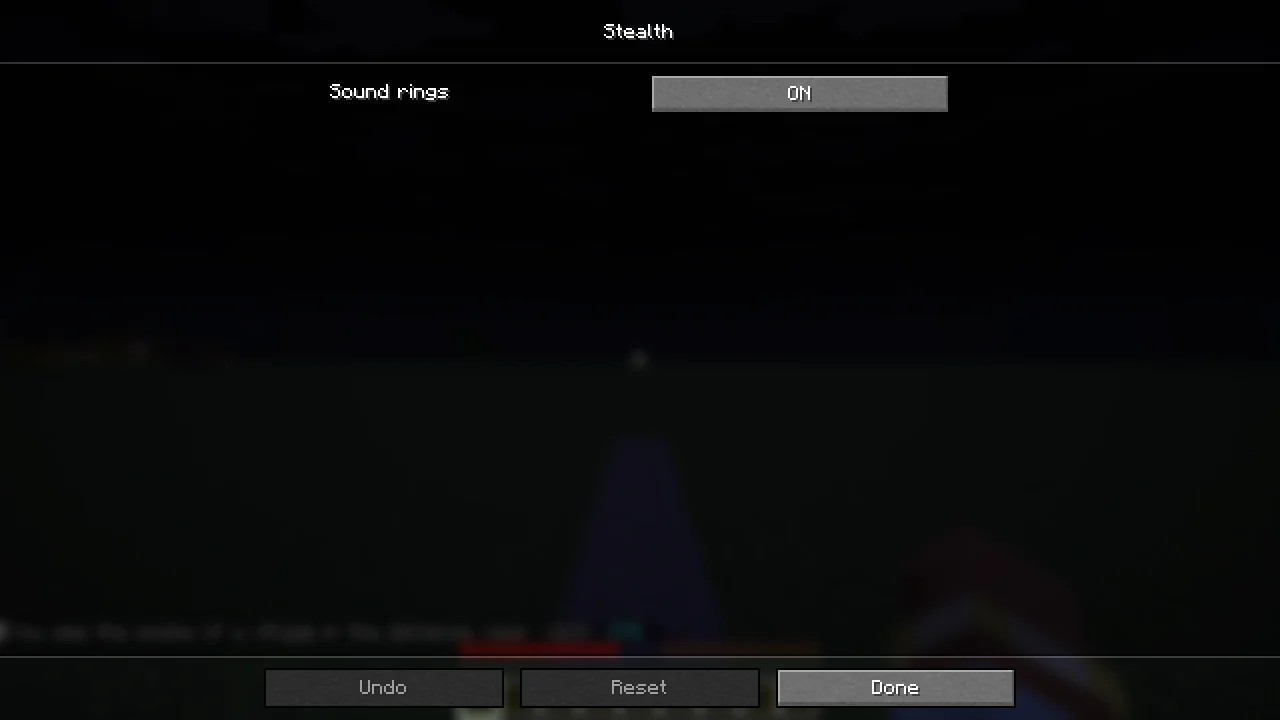
| Stealth | Sound rings, ON or OFF: whether the sounds you make are shown as rings on the ground, with who heard them marked. Off hides every ring. |
Each is kept on your own computer.
Not bound to a key
Several things the game suggests have no key of their own and are reached from sheets or by command: /find, /steward, /realm desk, /briefing and the rest. See Commands.
See also
Getting Started, The Sovereign's Companion, Battlefield Orders.