Maps, the Corner Map and the Compass
DiscussFrom the Sovereign Realms Encyclopedia
Your map is the map of the world as you know it. It begins as the rough shapes of the lands and fills in as you walk, as you are told of places, and as you read maps. Nothing on it is given away that you have not learned: a realm you have never met has no towns on your map, and you can treat only with realms you have met (see Realms). What it draws is chosen with its layers, a row of chips beside it. The corner map and the compass strip keep it in view while you play.
Opening the map
Press M (Your map in Controls), type /realm map, or open the Companion's Map tab (see The Sovereign's Companion). It opens where you stand, and M over the map closes it. You can walk with it open; a map that is following you keeps you in view.
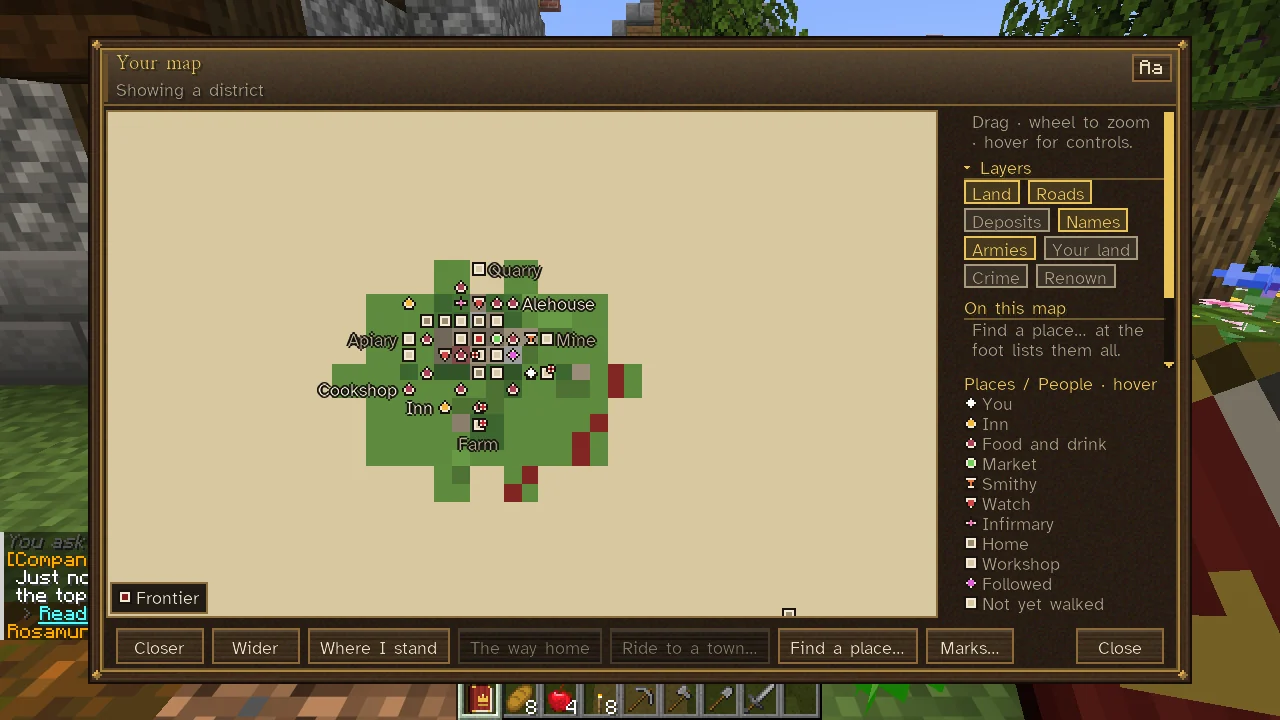
What it shows
- Land you have walked, as you saw it.
- Land charted by a map you have read, as its maker drew it: the kind of country (wood, grass, sand, snow, rock, water) and, in the two Known World maps, the coasts, the lie of the hills and the rivers. It is a little fainter; the key calls it From a map.
- Everything else only in the rough shapes of the lands, Not yet walked in the key.
- Towns you have come to or heard of, in their realm's colour; at the wider scales only the largest are lettered, the rest named on hover.
- At close scales, a town's buildings (inns, food and drink, markets, stables, smithies, the watch, harbours, temples, infirmaries, homes and workshops), the larger named.
- At the streets' and a district's scales, a known town's walls and gates (below).
- The camps of outlaw bands your realm knows of (with no realm, those you know of); see Outlaws and Raiders.
- What your layers add, and in the side panel how much of the world you have walked.
Walls and gates
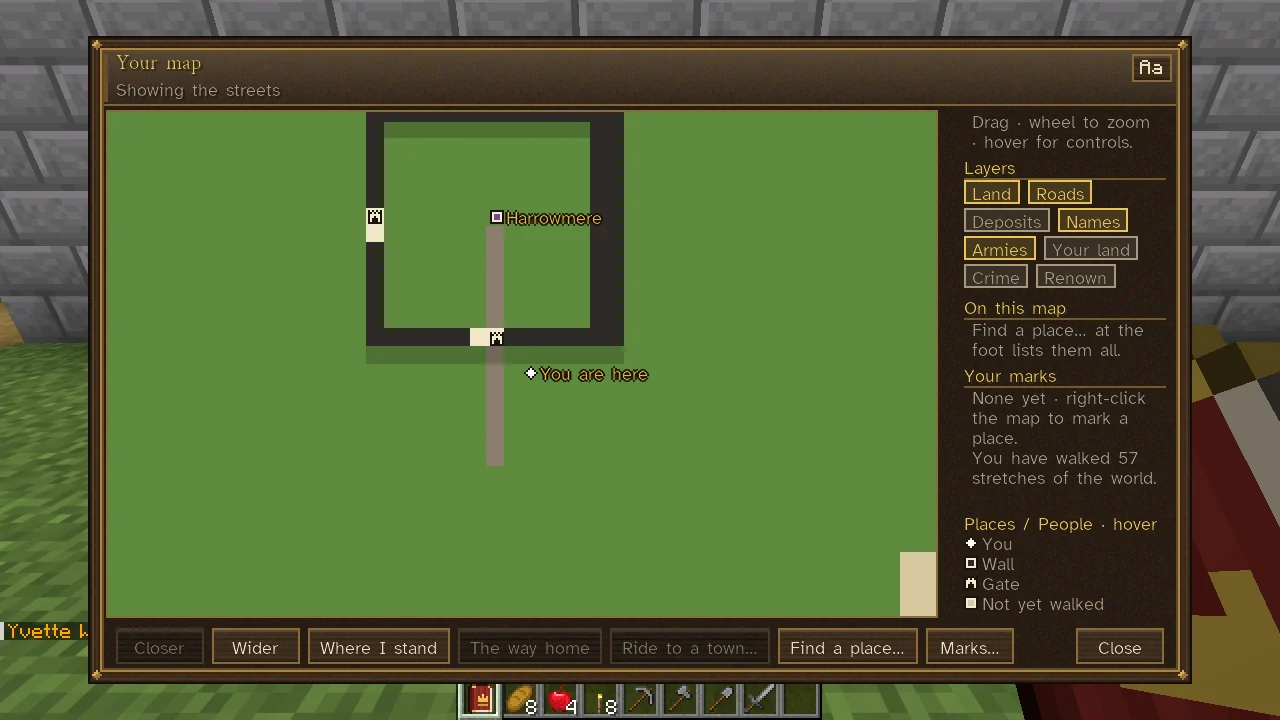
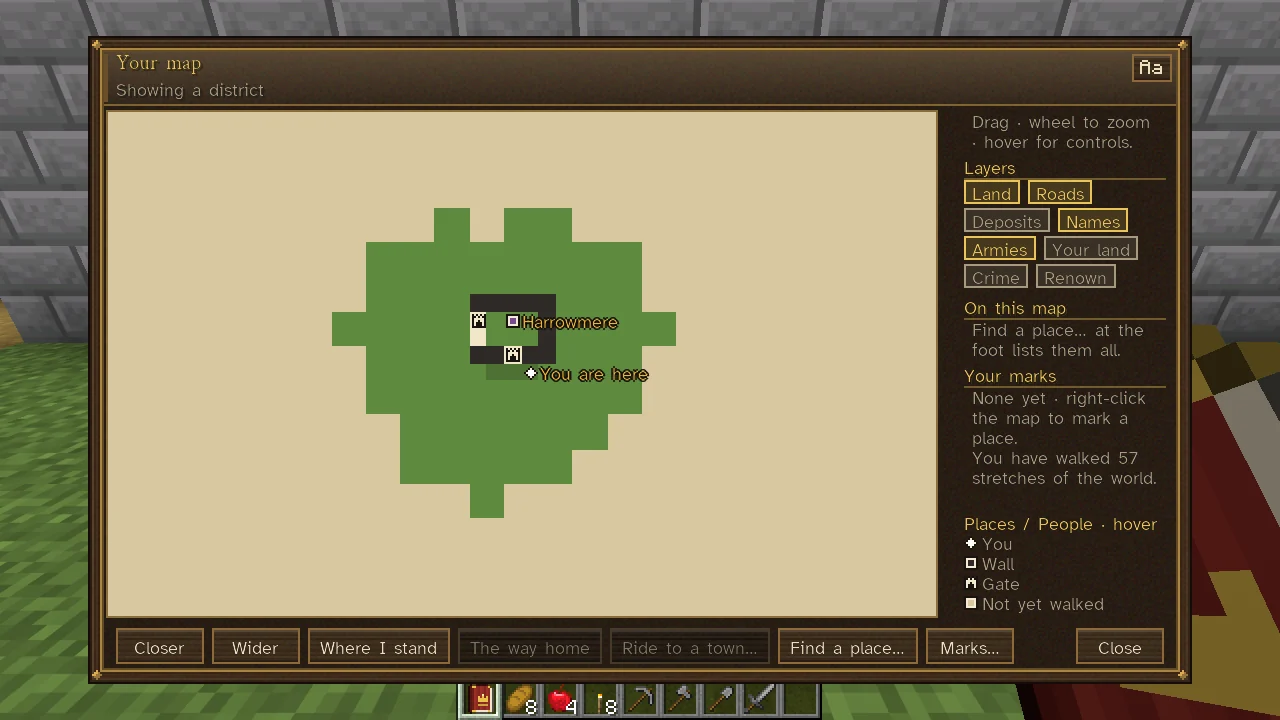
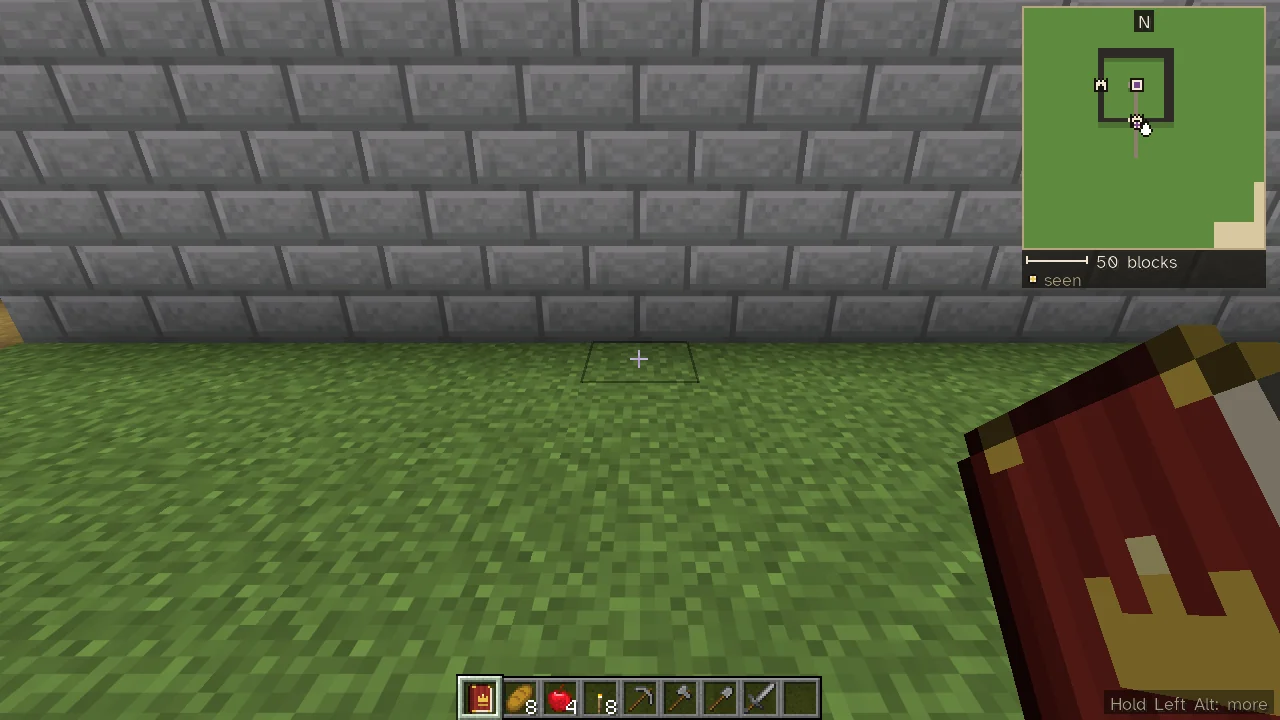
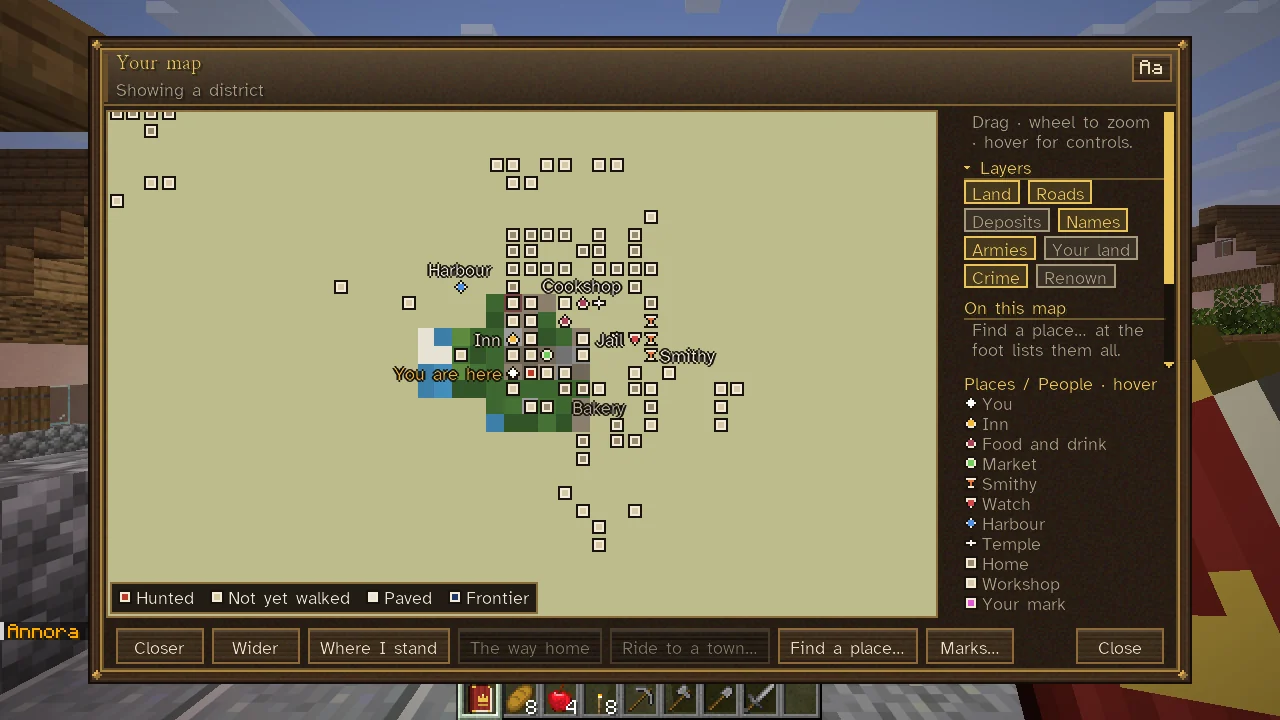
At the streets' and a district's scales, the walls of each town you know are drawn as a dark line, darker than any roof, and each gateway as a pale gap in it with a gatehouse pin, named Gate when you hover it. Gates within eight blocks of one another, such as the two leaves of a pair of doors or a gatehouse's outer and inner doors, are one gateway with one pin. The key at the side adds Wall and Gate while any are drawn. The walls are drawn as the town's records have them: its walls as they were raised, and the gates its last walk round them found (see Walls and Fortifications). The gates are listed in Find a place... with how far and which way each lies, the nearest first, so you can choose one and follow the way to it. The corner map draws the walls and gates the same way at those two scales.
Learning of towns
- Going near it. A town whose heart you come within about 96 blocks of goes on your map.
- The talk of the town. Within 64 blocks of a town's heart, every so often, the towns its realm knows of go on your map.
- Asking. Ask someone about other towns (Know of other towns? or the like, under The town). They name the nearest towns their realm knows, how far and which way, any road and any danger on the way: a merchant, an envoy or a soldier up to six, anyone else two. Each goes on your map, the way into your journal. See Talking with People.
- Reading a map (below).
- Your realm. Its own towns, the towns of realms it knows and the towns it has heard of are on the map of everyone in it.
Maps you can buy
A merchant or a scribe draws maps of what their realm knows, listed under Maps… on their sheet, on paper from their own stock (without paper they cannot). You read a bought map at the stall, so it goes on your map at once.
| Map | Price | What it charts |
|---|---|---|
| A map to a town… | 15 crowns | One of the six nearest towns their realm knows (not your realm's), the land about it and the roads to it. |
| A map of the country about | 40 crowns | The towns and roads their realm knows within 1,500 blocks (2,500 from a merchant of an exchange), and the land between. |
| A plan of a town's streets | 8 crowns | Their own town's streets and landmarks: the market, the inn, the jail, the smithy. |
| An atlas of the world as their realm knows it | 250 crowns | Every town their realm knows (the nearest 120 at most), the land about each and the roads; blank beyond. Only at a market hall or an exchange. |
| Buy a map of the deposits their realm knows | 200 crowns | Up to eight deposits their realm's survey has found and yours has not. See Prospecting and Mining. |
| Buy a sea chart of their waters | 60 crowns | In a world of islands, the lands and harbours of their waters. See Sea Charts and Navigation. |
A map can be given, lent, found or taken, and holds what its maker knew on the day it was drawn, so an old map lacks the newer towns. Use one (right-click) to put it on your map. See Markets and Trade.
Scales and controls
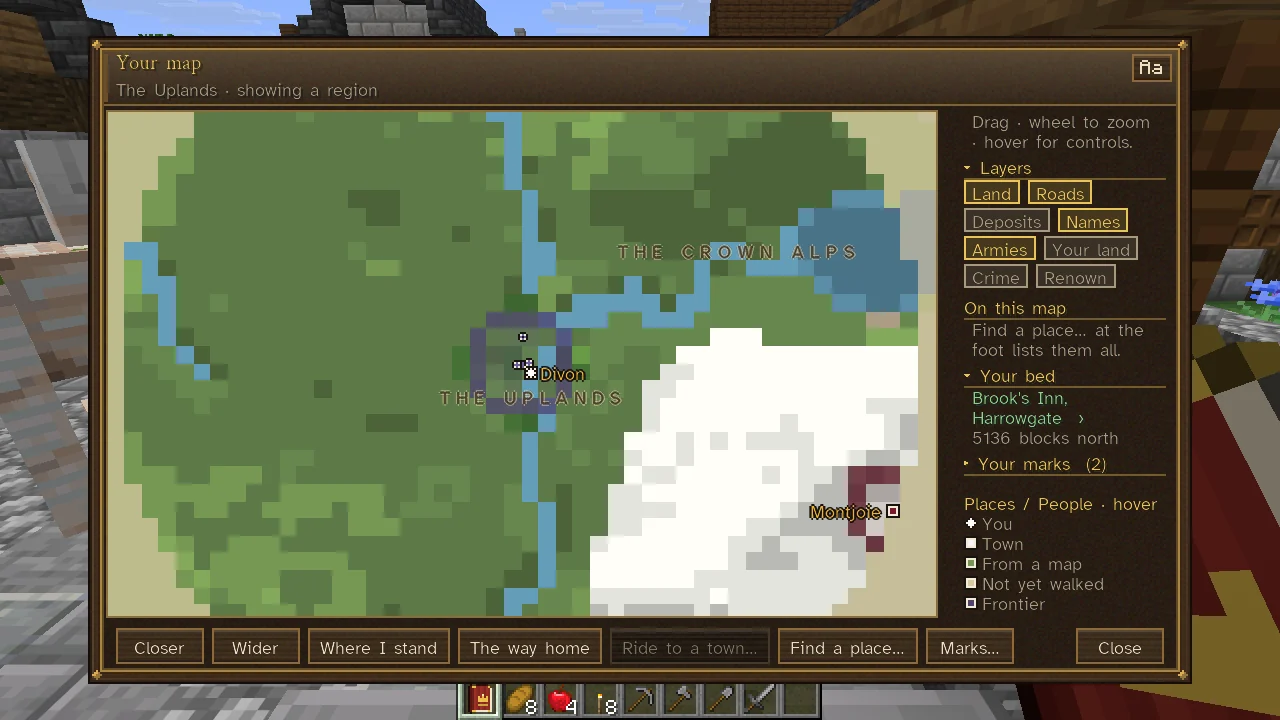
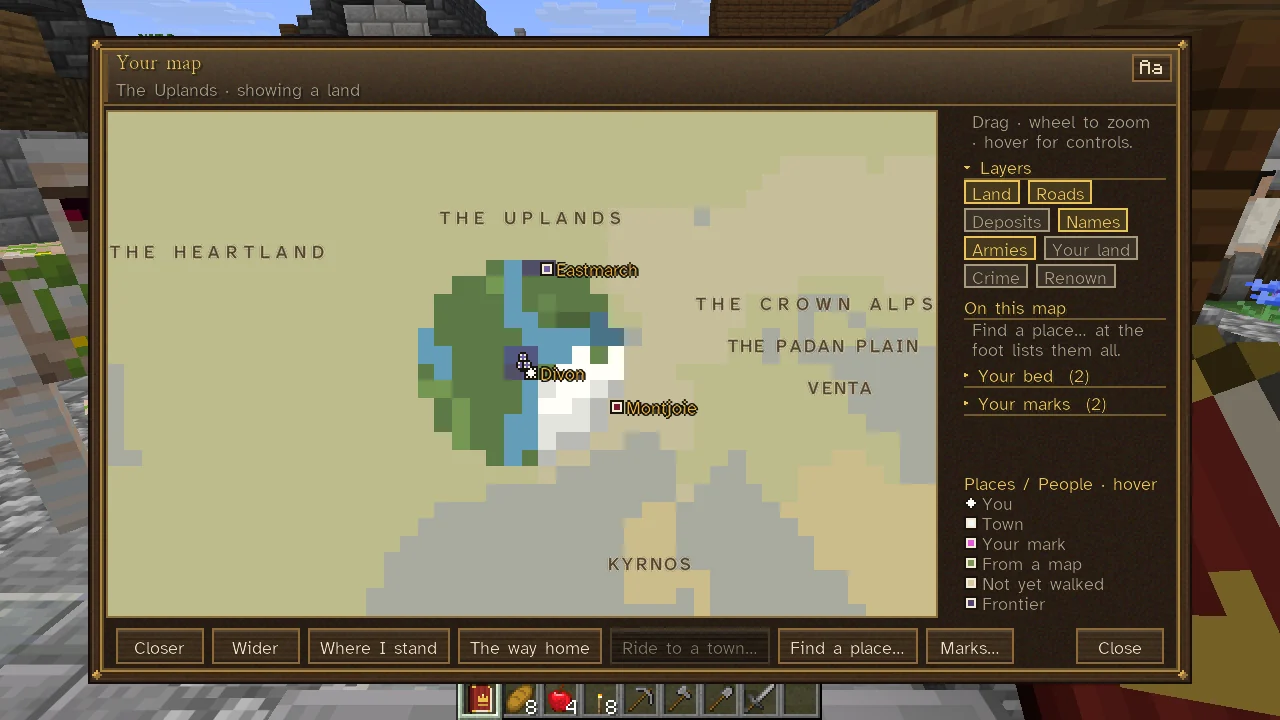
The map has five scales: about 192 blocks across at the streets, 768 at a district, 3,072 at a region, 12,288 at a land and 49,152 at the world.
Drag the map to move it; use the wheel to go closer or wider. Click a place to look closer; right-click to mark it, or a mark of your own to take it off. Hover a pin for its name and what the layers shown say of it. The line Drag · wheel to zoom · hover for controls at the top of the side panel says this on its hover. Along the foot:
| Button | What it does |
|---|---|
| Closer, Wider | Changes the scale. |
| Where I stand | Returns the map to you. |
| The way home | Once a day, back to a room, a house or the realm's seat; see Fast Travel. |
| Ride to a town... | On a horse along the roads to a town you know of. |
| Find a place... | Lists the places on the map in view (widen it to list more), a town's gates among them; type to search, and choose one to look closer and follow it. |
| Marks... | The actions on your marks. |
A greyed button says why on its hover. In a town coaches leave (one with a passable road leaving it, or a treasury to take a fare into), the side panel also offers Book passage by coach; anywhere else it offers Send for a coach, which brings a coach from the nearest town that keeps an office, on your side of the sea, for the fare of its coming besides (see Fast Travel). When the window is small for its interface scale (854 by 480 at scale 2, or 1280 by 720 at scale 3), The way home, Ride to a town... and Find a place... do not fit along the foot and go under More....
Layers
At the head of the side panel, under Layers, each thing the map can draw is a chip, gold where shown and muted where hidden. Click a chip to turn it on or off.
| Chip | What it draws | At first |
|---|---|---|
| Land | Each realm's frontier as a line in its colour; at a region's scale and wider, its land washed in it too. | Shown |
| Roads | The roads, by grade. | Shown |
| Deposits | The deposits you have seen signs of or bought, and those your realm's survey knows. | Hidden |
| Names | The lands' names, lettered across them at a region's scale and wider. | Shown |
| Armies | Armies on the march. One seen marching on your towns also shows on your Command Table. | Shown |
| Wars | Each war under way, a shield pin where its fighting is, its hover naming the two sides and where. It turns on when you choose a war in the list of wars under way (see War and Peace). | Hidden |
| Your land | Your own plots and acres, washed in green. See Land, Estates and Landlords. | Hidden |
| Crime | The towns that want you and your recent deeds (below). | Hidden |
| Renown | Each town whose talk of you you have heard: green for praise, red for ill words, amber for both, grey where they know nothing of you yet. See Renown and Following. | Hidden |
The Crime layer
Turn it on from its chip, or from the Crime page of your sheet (On your map, then Open your map). With it on:
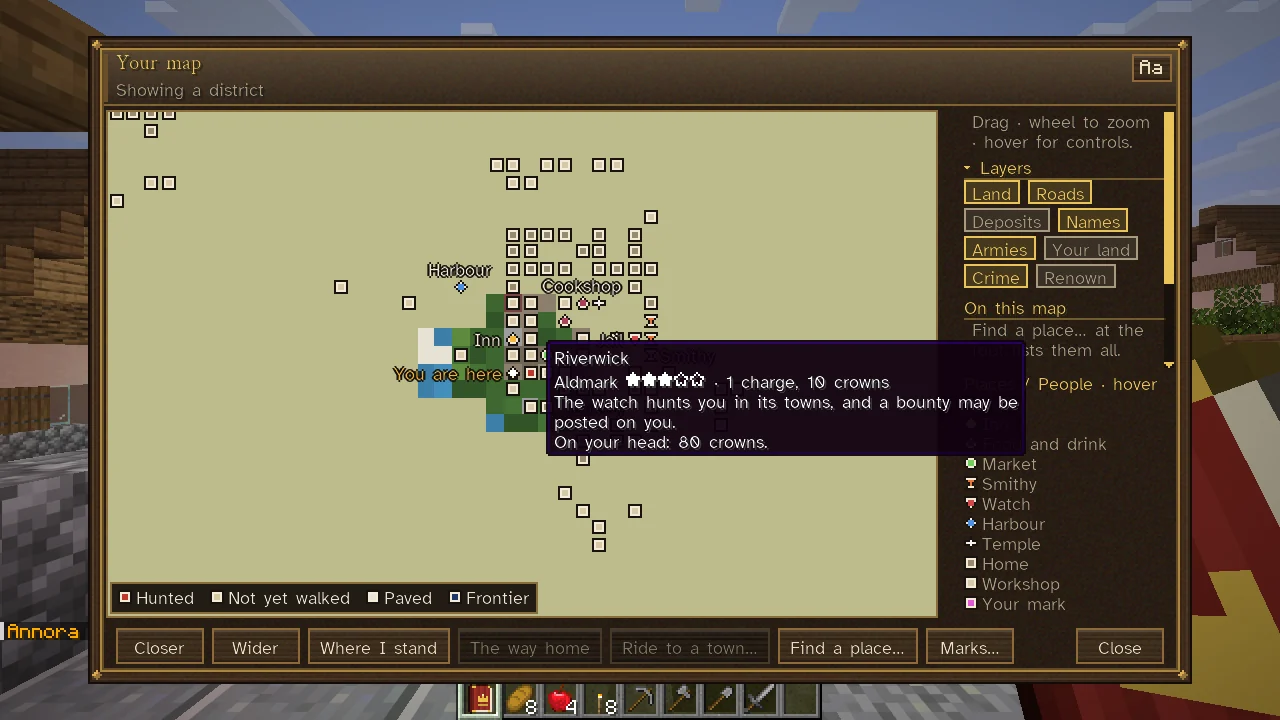
- A town that wants you keeps its pin, in the colour of the danger, and where its name is lettered your stars follow it ("Riverwick ★★★"). Its hover gives that realm's row from your Crime page: stars, charges and fines, what the stars mean, and the price on your head.
- Each deed of the week is an X where you did it, its hover naming the deed and what came of it ("Charged.", "No proof.", or for one no one has pinned on you, "The watch is asking who did it." or "Only you know it was you.").
- The key names each colour drawn: Hunted (three stars or more, or outlawed there), Wanted (fewer stars, or a price on your head), Charged (charges or a debt, and no hunt), Notorious (nothing on their books, but known there as notorious or worse) and Your crime (a deed's X). With nothing against you in view, it says so.
At a region's scale and wider, each realm's land is washed in its danger's colour, deeper the more it wants you. See Wanted and Bounties and Crime and Punishment.
Marks
You can mark up to 24 places, each with a name of up to 32 letters.
- Make a mark. Right-click the map, or choose Marks..., Mark where I stand. The newest mark can be named at once.
- Follow a mark. Click it under the side panel's Your marks, and again to stop. The newest mark is followed by default; with the map closed, the compass strip shows the way.
- Name the mark followed with Marks..., Name the mark followed; Follow no mark stops following.
- Take marks off. Right-click a mark's pin, or use Marks...: Take a mark off, Take off all but the one followed, Take all marks off.
- Follow a place you looked up. Choose a result in Find a place...: the map looks closer and follows it, without using a mark. The next place found replaces it.
Marks are of the overworld. Your bed at an inn kept free for your first night, a room or house you have let, and a plot of land of your own can also be followed from the side panel. See Lodging.
The compass strip
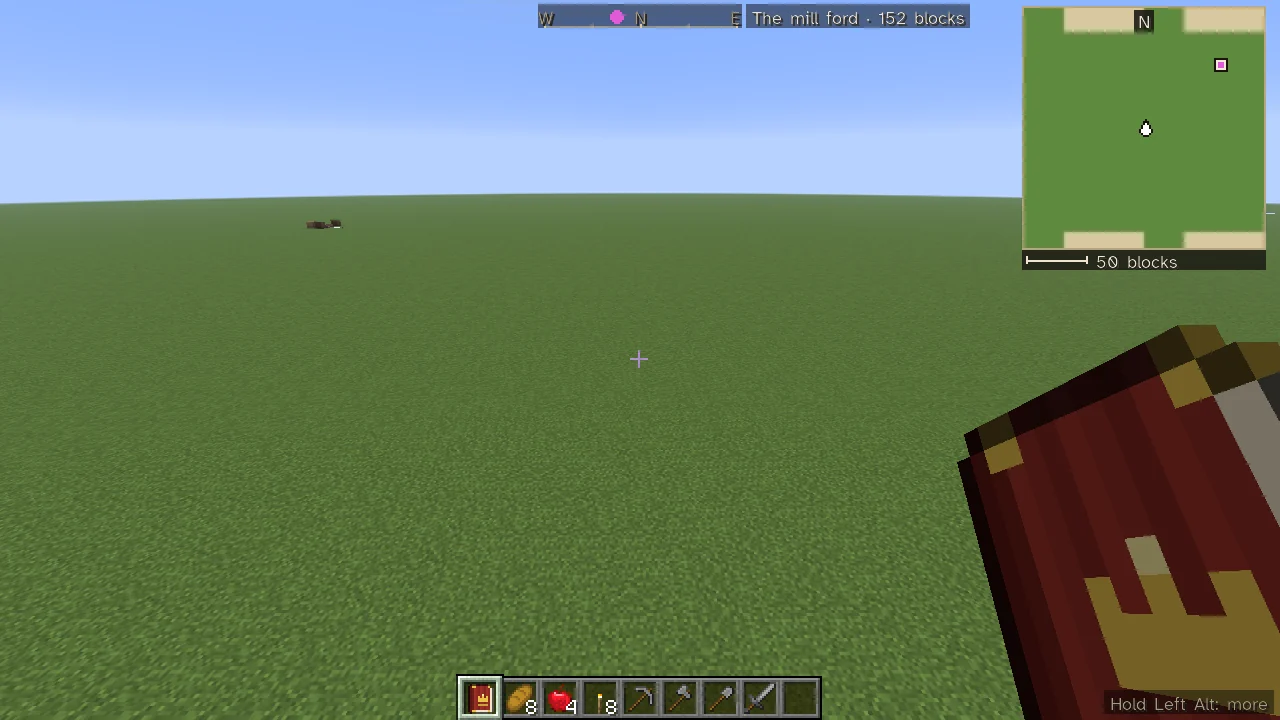
When you follow a mark and your map is closed, a strip at the top of the screen shows the four quarters as you face, the mark as a diamond where it lies, and its name and distance; with the mark behind you, an arrow at the strip's end says which way to turn. It also points to the town you are riding to under the autopilot of Fast Travel, with a line under it naming the town and how far is left. Hold Left Alt and the mark's line is given in full with what the strip means: "The diamond on the strip is its way; past the strip's end, an arrow says which way to turn."
K (Compass strip: size in Controls) cycles it between Slim (the default), Framed (a larger, framed compass) and Hidden. With no mark followed, the strip stays out of the way unless the corner map is hidden, when it shows your heading.
The strip stands at the top centre of the screen, under any boss bar and under the law's lines when those show (see Wanted and Bounties). On the slim strip the mark's name and distance stand beside it, at its right, or at its left where the right is not clear (of the corner map, say), or else under it; where there is no room for them whole, the name is cut short and the distance kept. Under Fonts and compass in the mod's options the strip can be set above the hotbar instead, over the bars and any notice there. Where its place has no room, it is not drawn. See Controls and Key Bindings for where everything else stands on the screen.
The corner map
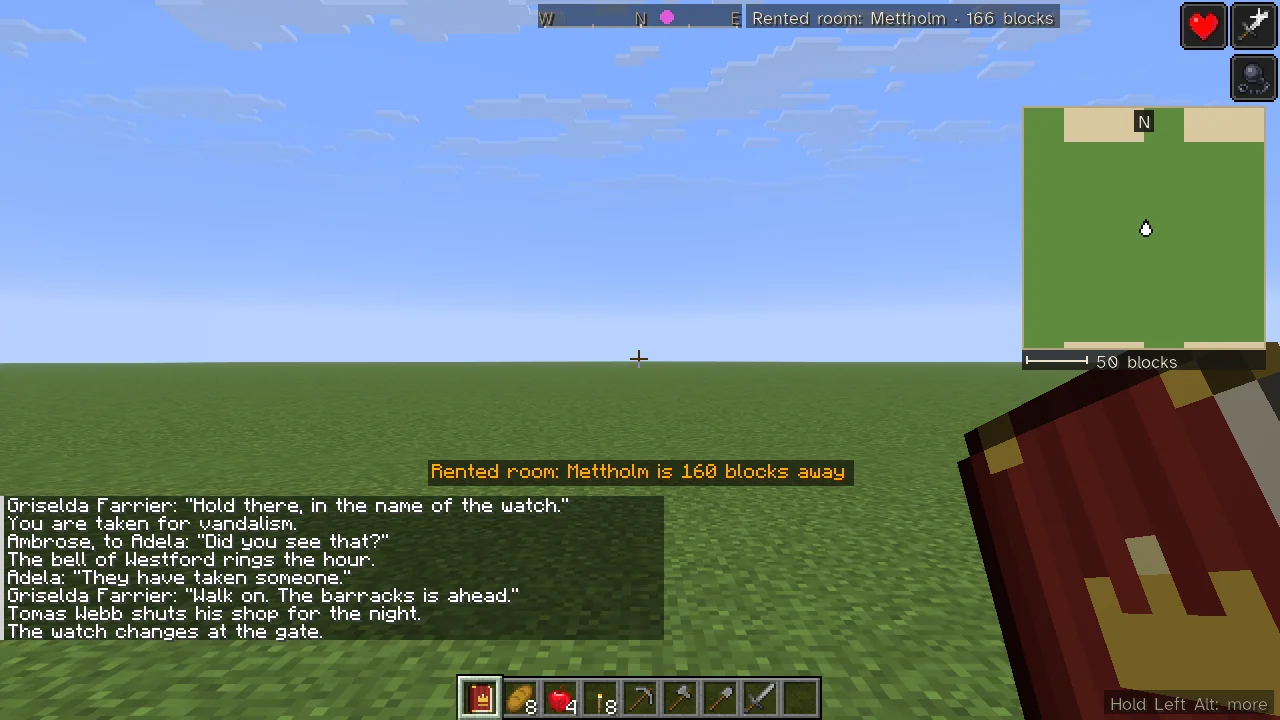
The corner map is a small, live version of your map in a corner of the screen: the land you know and the contacts you are allowed to see, with a mark for north, a scale bar and a key.
- It is drawn in the overworld only, and not while you are dead or a spectator.
Nshows or hides it; hidden, the server stops sending it.[zooms in and]zooms out, through the big map's five scales; a line tells you the scale and how many blocks across it is.\cycles its size: small, medium (the default) or large, a fifth, a third or a half of the screen's height, never more than a third of its width and clear of chat.- Hold Left Alt for its keys and what its arrow means: "The white arrow is you, pointing the way you face."
At the top right it stands under the effects' icons, and it steps down under a long boss bar. It is made smaller to stay clear of the chat and of a notice moved up over the chat; where it cannot stand clear at all, it is not drawn. At the top right it gives the corner up to a Realm Lens's reading while you hold one, and it steps back while you are down.
Under Mods, Sovereign Realms, Config, the Corner map section sets whether it shows, its corner, its size (0 for automatic, otherwise a width in GUI pixels, at least 40) and its scale (0 streets to 4 world); Fonts and compass sets the letters sheets are written in and how and where the way to your mark is shown.
The realm's map at the Command Table
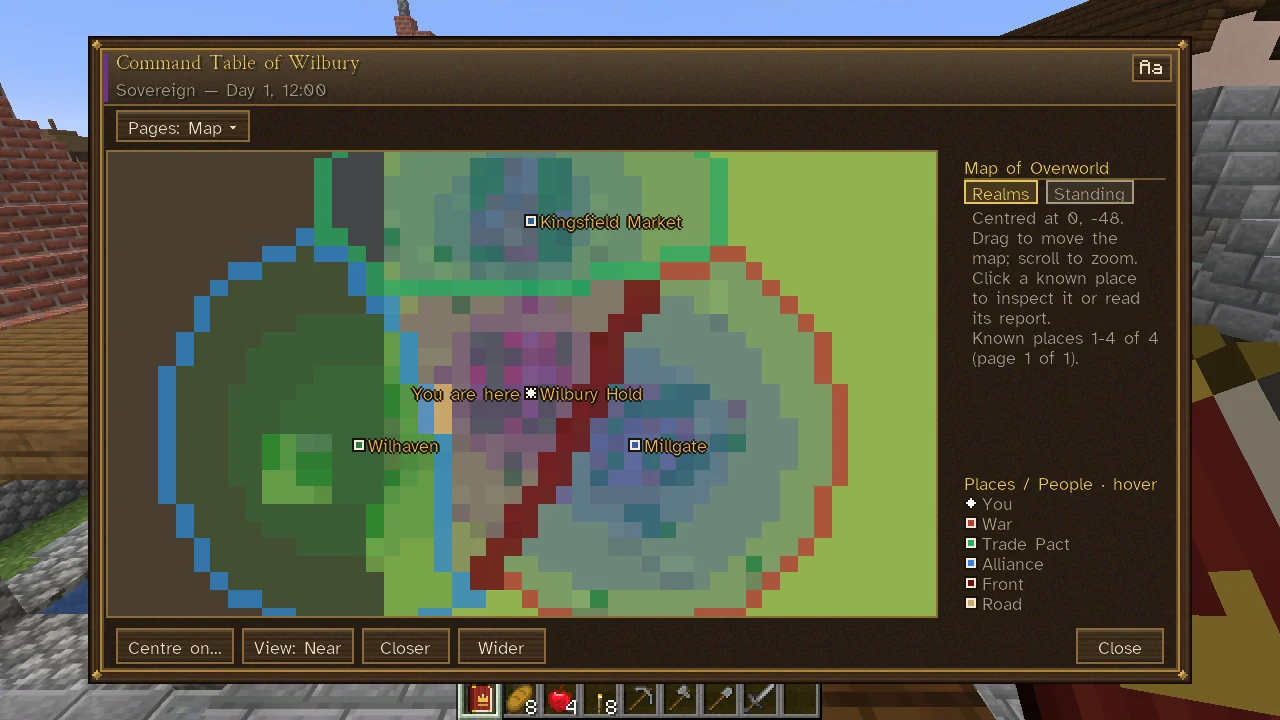
A realm's members also read the land as the realm knows it on the Command Table's Map tab, washed by whose Influence holds each place, with its own layers, Realms and Standing, and the front with an enemy in dark red. It also draws other realms' forces only as far as the realm knows them, each kind named in its key (Seen now, Last seen, Reported), and the realm's own bands (Our bands) with where each is bound; a force no one of the realm has seen is not drawn at all.
See also
Sheets, Controls and Key Bindings, The Sovereign's Companion, Realm Lens, Influence, Sea Charts and Navigation, Land, Estates and Landlords, Wanted and Bounties.